Ubuntu Troubleshoot
Troubleshooting Commands in Ubuntu
♦ Error Description : Unable to use terminal commands
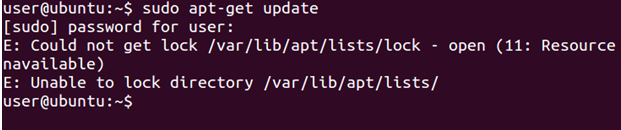
♦ Solution : Use following command to delete lock file.

You may also need to delete the lock file in the cache directory


♦ Reason : This type of error generally occurs due to improper shutdown of the system or due to interruption of user during a running process. These error can become more harmful and may result in system breakdown which may cause data loss.
0
0