Apache Spark RDD Commands
Apache Spark RDD Commands
Welcome to the world of best RDD commands used in Apache Spark, In This tutorial, one can easily learn a List of all Top Rated Apache Spark basic RDD commands which are available and are used by most of the Spark developers. Are you also dreaming to become to certified Pro Developer, then stop just dreaming get your Apache Spark certification course from India’s Leading Apache Spark Training institute.
This is a working reference to the core commands for Apache Spark’s RDD, short for Resilient Distributed Dataset, Spark’s original data structure for distributed processing. An RDD is an immutable collection of elements, partitioned across the nodes of a cluster, that can be operated on in parallel.
So follow the below mentioned used from Prwatech and learn Apache Spark Course like a pro from today itself under 15+ Years of Hands-on Experienced Professionals.
Basic used in Apache Spark
Creating a new list with a value
The starting point for most RDD work is turning a plain Scala list into an RDD, which Spark can then spread across a cluster.

Parallelizing that list distributes it across partitions, by default 2, so Spark can process it in parallel.

Creating new RDD for the list

RDD Functions
An RDD supports a wide set of built in functions for transforming and inspecting data, several of which are shown across the screenshots below.
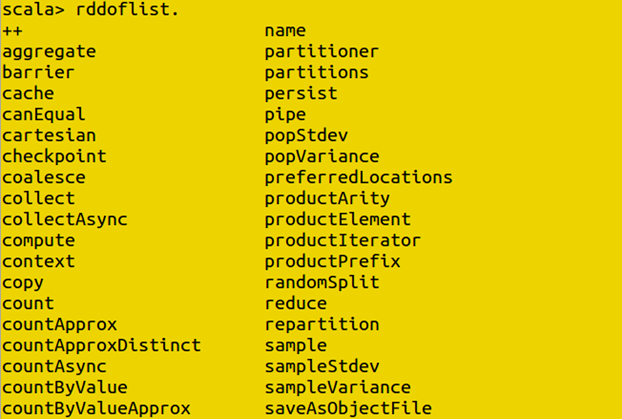
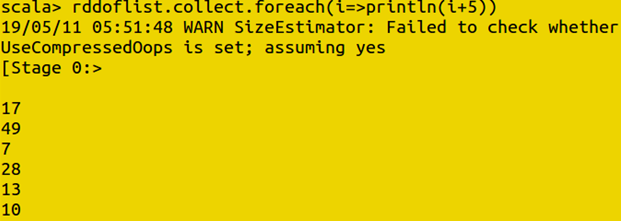

Checking RDD Details
You can check how many partitions or elements an RDD has, which is a useful sanity check before running a larger job.

Creating new RDD with output

Creating new RDD using map RDD
The map function applies a given operation to every element in an RDD, returning a new RDD with the transformed values.
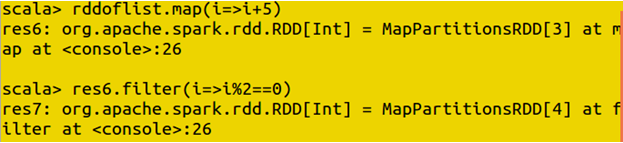
To check the function of RDD

Transformations and Actions
Every RDD operation falls into one of two categories, and understanding the difference is the single most important concept for working with RDDs efficiently.
- Transformations, such as map, filter, and union, build a new RDD from an existing one, but they are lazy. Spark does not actually run them the moment you write them, it just records what you have asked for.
- Actions, such as count, collect, and saveAsTextFile, are what actually trigger execution. Only once an action is called does Spark run through the full chain of transformations that led up to it.

Count
The count action returns the total number of elements in an RDD, such as the total entries in an array.

Reading and Displaying a File
An RDD can be built directly from a file, reading its contents in as a collection of lines.
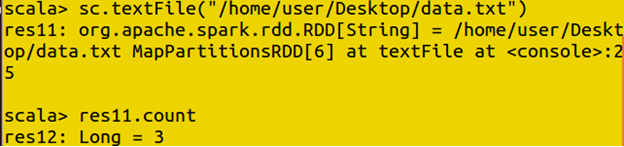
Display file

Splitting and Measuring Data
Once data is loaded, you can split it apart using a keyword or delimiter, then check the length of the resulting array.

To find the length of the array

To check value using index

Line Level Operations
Some operations work at the level of individual lines within an RDD, such as filtering lines that start with a specific keyword.
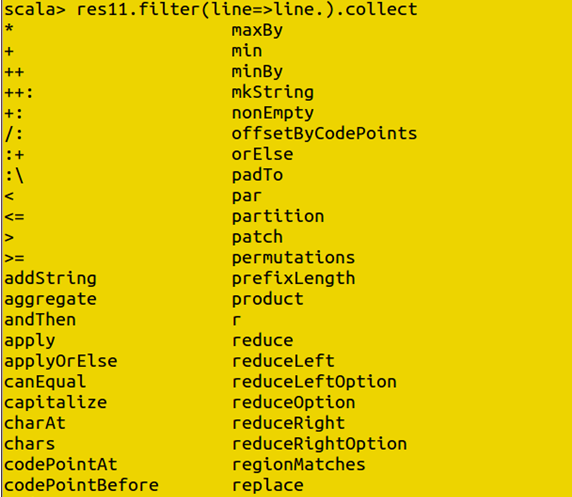
Starting keyword

Combining RDDs: Union and Intersection
Union
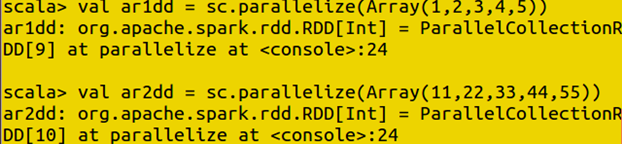
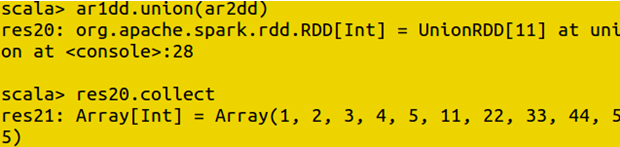
The union function combines two RDDs into one, keeping every element from both, including duplicates.
Intersection
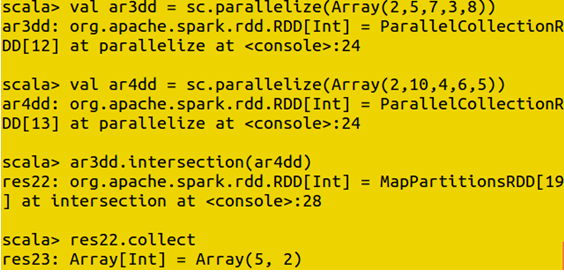
The intersection function instead returns only the elements that appear in both RDDs.
Join
The join function combines two key value RDDs based on matching keys, similar to a join between two tables in SQL.
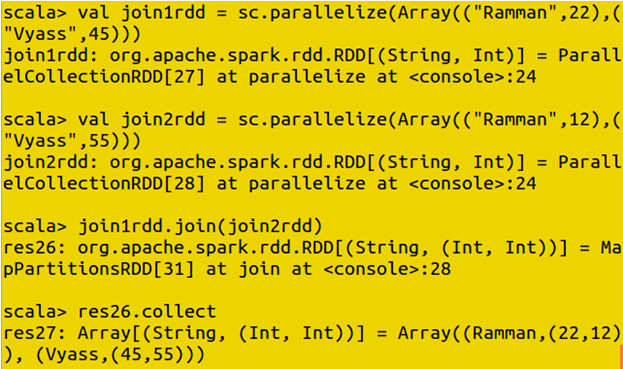
Using the index to get value
You can retrieve values from an RDD by index and format them for cleaner, more readable output.

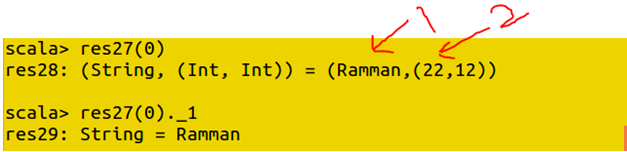

Using values to print in a proper format

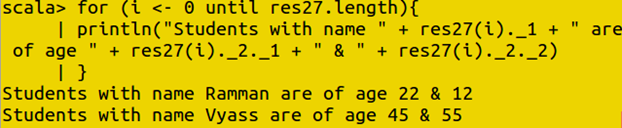
Print multiple values using for loop
A for loop can print multiple values from an RDD in sequence.
Word Count With MapReduce
The classic word count example uses map to split text into individual words paired with a count of one, then reduceByKey to sum those counts together for each unique word.


Group By Key and Map Values
The groupByKey function groups all values sharing the same key together into a single collection per key.
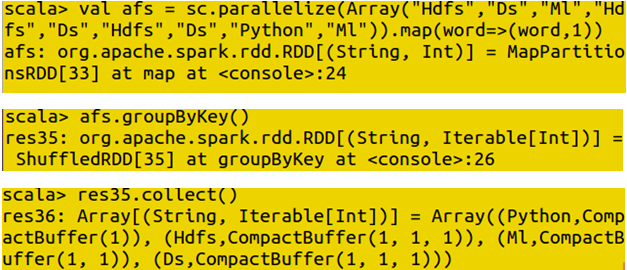
Map value
The mapValues function applies a transformation to only the values in a key value RDD, leaving the keys untouched.

Aggregating Values
Add :

Subtract :

Changing the Parallelism:
The number of partitions an RDD is split across, its parallelism, can be adjusted directly, which affects how the work is distributed across the cluster.

Ordering Results
You can select a specific number of elements from an RDD based on a given ordering, such as the top or bottom values in an array.

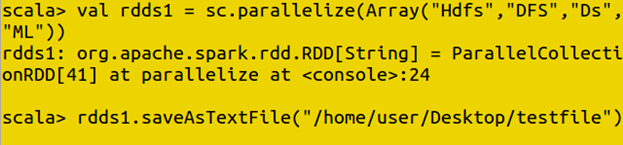
Saving RDDs to a File
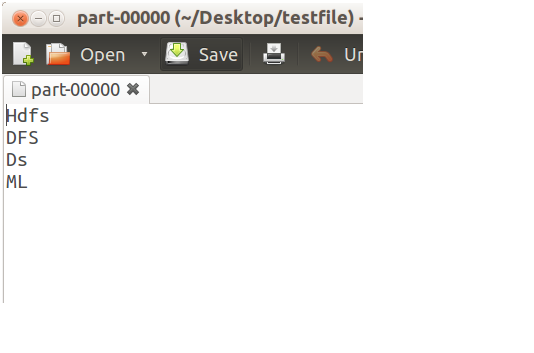
The saveAsTextFile action writes an RDD’s contents out to a specified location, ready to be read back in or handed off to another process.
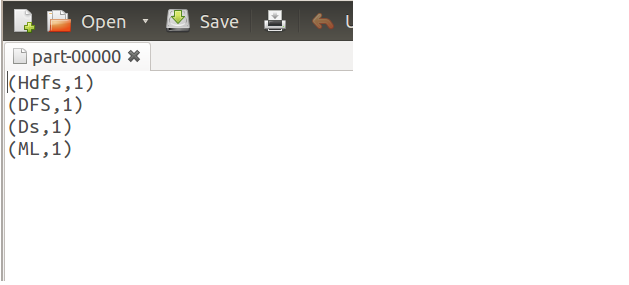
Saving the file in map format
An RDD of key value pairs can also be saved specifically in map format, preserving that key value structure.

RDD Compared to DataFrame
RDD was Spark’s original API, and it remains fully supported, but most day to day work today happens through DataFrames instead, covered in the Spark SQL Commands guide. The difference comes down to structure and optimization. A DataFrame organizes data into named columns and benefits from Spark’s Catalyst optimizer, which can significantly speed up common operations such as filtering and joining. An RDD has no built in structure and no automatic optimization, but it gives you full, low level control over exactly how your data is transformed and partitioned.
- Reach for a DataFrame when your data is structured or semi structured and you want Spark to optimize the query plan for you, which covers most everyday analysis.
- Reach for an RDD when you need fine grained control over partitioning and transformations, when your data is unstructured, or when your logic does not map cleanly onto columns and rows.
Common Mistakes to Avoid
- Calling multiple actions on the same RDD without caching it. Since transformations are lazy, calling count and then collect on the same uncached RDD recomputes the entire chain of transformations twice. Use cache or persist if you plan to reuse an RDD more than once.
- Confusing map with flatMap. map returns exactly one output element per input element, while flatMap can return zero, one, or many, which matters for operations like splitting a line of text into multiple words.
- Reaching for an RDD by default. If your data is structured and a DataFrame would work just as well, the DataFrame version is usually faster, thanks to Catalyst, and easier for someone else to read later.
Watch It in Action
The two videos below, embedded on the original page, walk through these RDD commands step by step.
That covers the core Apache Spark RDD commands, from creating and transforming RDDs through joins, aggregation, and saving output. To go further, explore Prwatech’s Apache Spark training program, which includes placement assistance.
