Apache Spark Scala command using IDE
Running Scala in an IDE
Welcome to the world of Scala Commands IDE tutorials used for spark developers. In these Tutorials, one can explore how to install and set up scala application in IDE(Eclipse). Learn More advanced Tutorials on How to run scala application in IDE by taking exampleS from India’s Leading Apache spark training institute which Provides advanced Apache spark course for those tech enthusiasts who wanted to explore the technology from scratch to advanced level like a Pro.
We Prwatech the Pioneers of Apache Spark training offering advanced certification course and Installation of Scala Programming Language to those who are keen to explore the technology under the World-class Training Environment.
What to Use Today
- IntelliJ IDEA with the Scala plugin, the option the official Scala documentation recommends first. Install IntelliJ IDEA, Community Edition is free, then add the Scala plugin from within IntelliJ’s plugin marketplace. This is the most complete, well maintained Scala experience available today, and the one most new learners should reach for.
- VS Code with the Metals extension, a lighter option built around the Scala compiler’s own language server. This suits people who already live in VS Code for other languages and want Scala support added to the same editor rather than switching tools entirely.
If You Are Following the Classic Scala IDE for Eclipse Setup
The steps below still work if your organization or course specifically requires the Eclipse based Scala IDE, and the Scala language concepts they demonstrate remain accurate regardless of which IDE you end up using.
Step 1: Download Scala IDE
Make sure Java 8 is installed on your system before you begin.
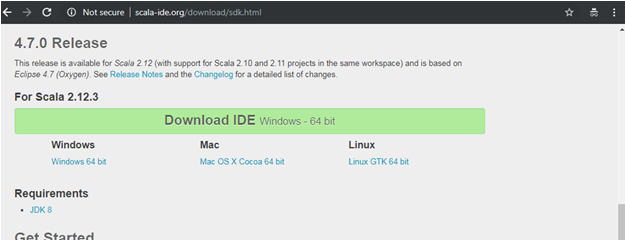
Note:- make sure in your system Java 8 be install
Step 2: Open the Downloaded File
Go to the downloaded file and open Eclipse from it.
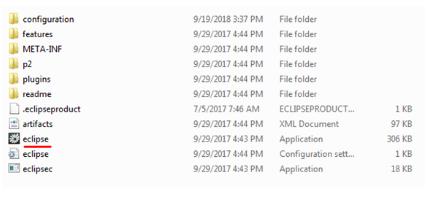
Step 3: Select a Workspace and Install Eclipse
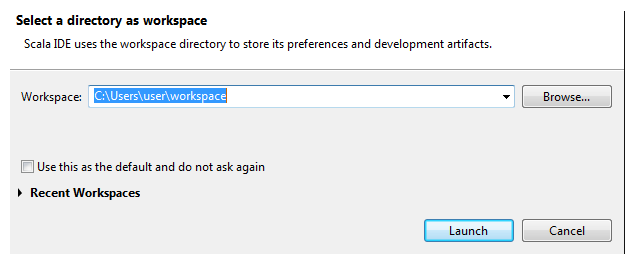
Step 4: Create a New Scala Project
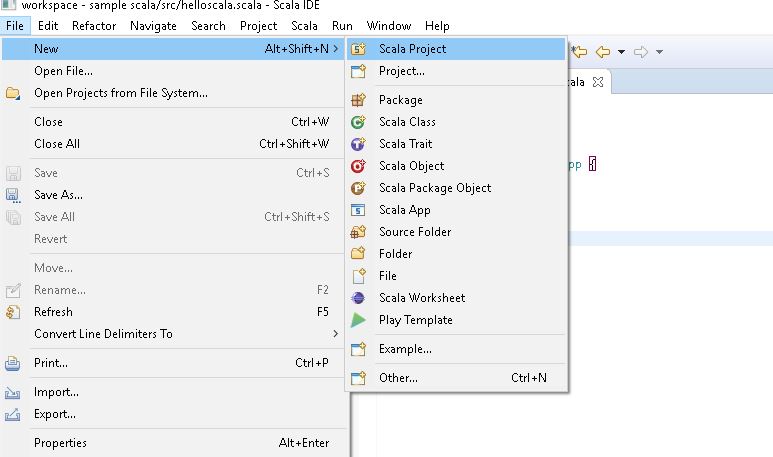
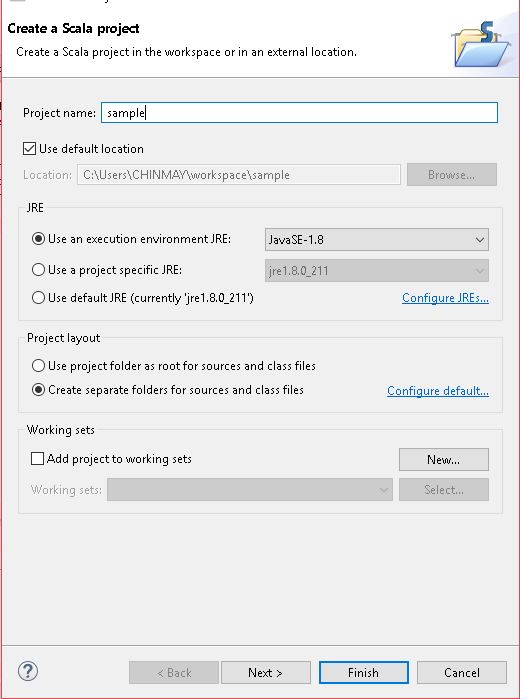
Once Scala IDE is open, go to the File menu, select New, then Scala Project. Give the project a name and select Finish.
Step 5: Create a Scala object
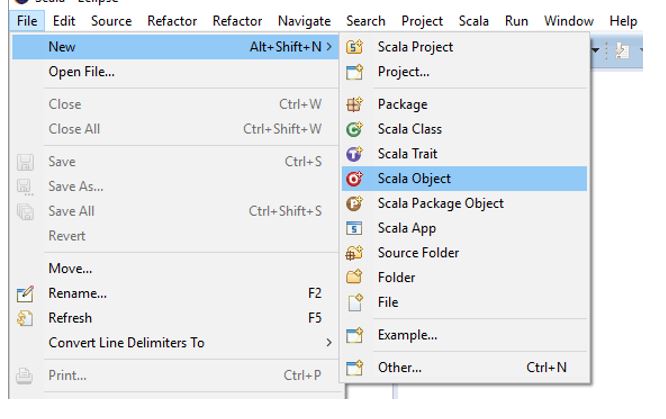
Create a new Scala Object using File -> New -> Scala Object :
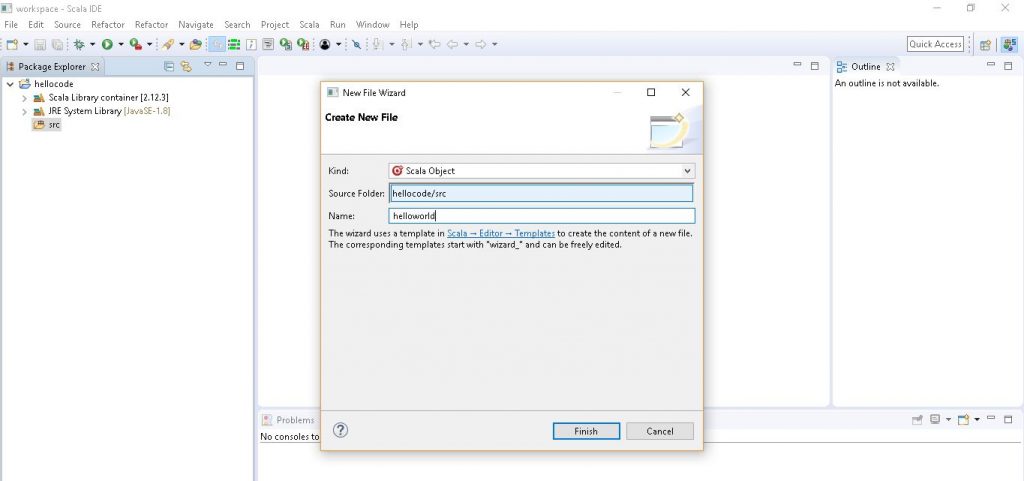
Give your Scala application a name, then select Finish to create the file.
Step 6: Add code that prints Hello Scala
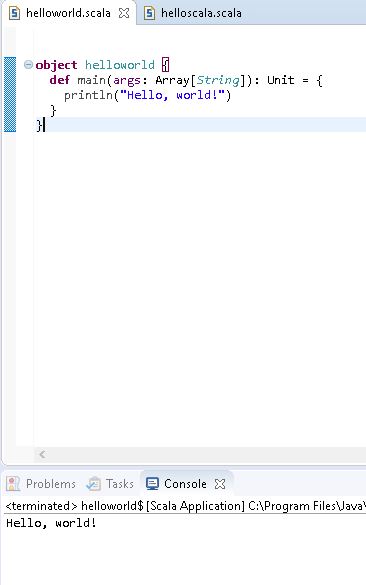
Add the following code in HelloWorld.scala
object HelloWorld {
def main(args: Array[String]): Unit = {
println(“Hello, world!”)
}
}

Step 7: Run the Scala program
Click on Run button or Run menu to run this as a Scala application
Right Click on that & Run As →Scala Application
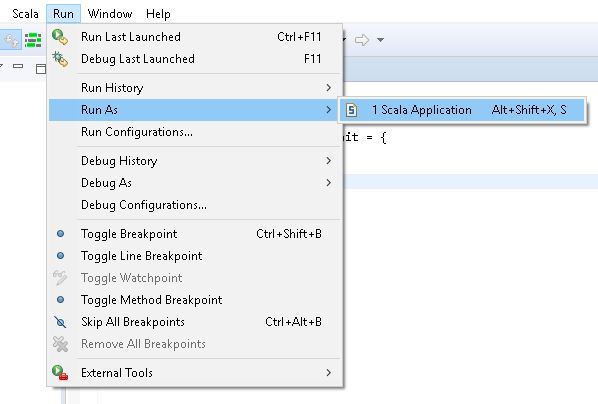
NOTE: Set the Run configuration if needed.
OUTPUT :
Example Programs in Scala IDE
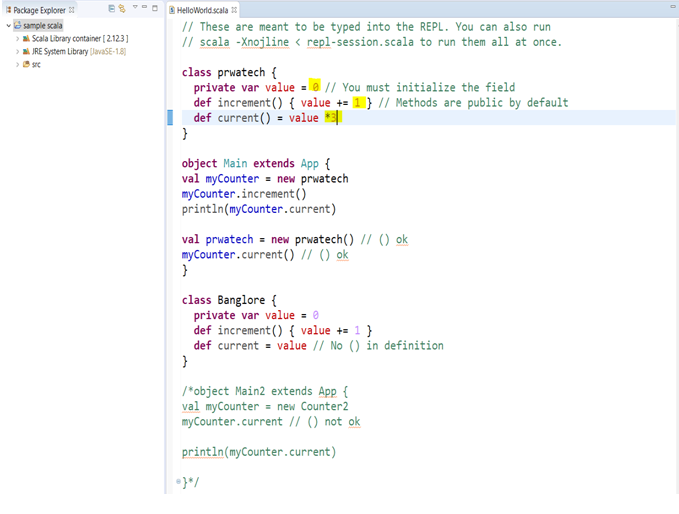
The four programs below show additional Scala examples run the same way, written, saved, then executed as a Scala Application from inside the IDE.
Program 1
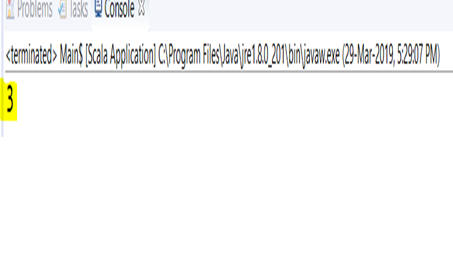
Program 2
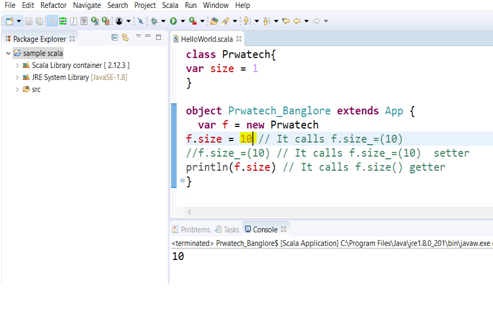
Program 3
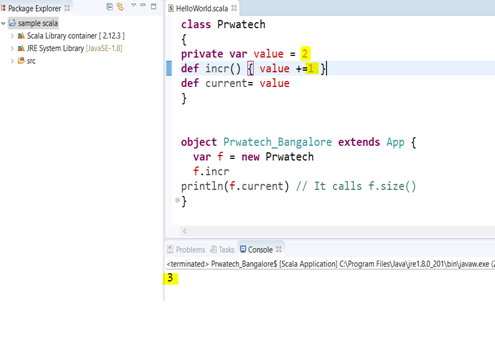
Program 4
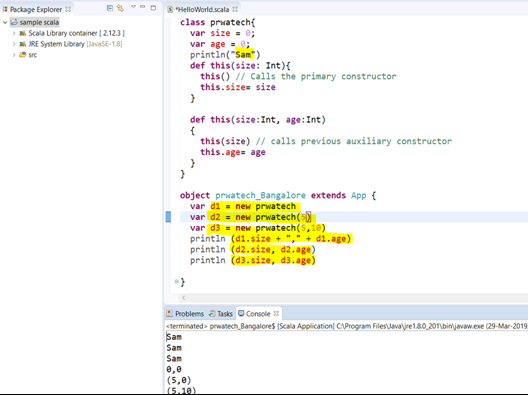
Common Mistakes to Avoid
- Following the original download link without checking where it leads. As noted above, it now redirects to a different page entirely, so go directly to IntelliJ or VS Code’s own sites instead of hunting for the old Scala IDE installer.
- Skipping the Java 8 requirement. Scala IDE and many older Scala tooling setups assume a specific Java version is already installed, so confirm that first rather than debugging a confusing error later.
Naming the object differently from the file. A Scala object meant to be run directly, with a main method, should match its file name, the same expectation Java has for its public classes.
That covers running a Scala application in an IDE, both the classic Eclipse based approach and what to reach for today. To go further, explore Prwatech’s Apache Spark training program, which includes placement assistance.