Apache Spark SQL Commands
Apache Spark SQL Commands
This is a working reference to the core Apache Spark SQL commands, covering how to set up a Spark context, build and query DataFrames and Datasets, group and write data, and register your own functions for use inside SQL queries.
What is Spark SQL, and Why It Matters
Spark SQL is the Spark module for working with structured data. It gives you two ways to do the same underlying work, writing SQL queries directly, or using DataFrame and Dataset methods in Scala, and lets you mix both freely in the same program. Under the hood, Spark SQL uses the Catalyst optimizer to turn either style into an efficient execution plan, so choosing SQL syntax over the DataFrame API, or the other way around, is mostly a matter of what reads more clearly for the task at hand, not a performance tradeoff.
Setting Up a Spark Context
The SparkContext, commonly assigned to a variable called sc, is what initializes Spark SQL’s functionality inside your session. You create it once at the start of a session, then confirm it was created correctly before moving on to any actual data work.

Check the context created

DataFrame Compared to Dataset
A Dataset is an optimized, distributed collection of data that uses Spark’s Catalyst optimizer and Tungsten execution engine for fast processing. A DataFrame is a Dataset organized into named columns, conceptually the same as a table in a relational database, or a data frame in Python or R.
The practical difference that matters most day to day is typing. A DataFrame is untyped, its columns are checked at run time, which makes it quick to work with but means a mistyped column name only surfaces as an error once the code actually runs. A Dataset is strongly typed in Scala, so many mistakes get caught at compile time instead. In Scala and Java, Datasets give you that extra safety. In PySpark, there is no separate Dataset API, so a DataFrame is effectively what you have to work with either way.
- Use a DataFrame when you want SQL like queries, joins, and aggregations with the least setup, which covers most day to day analysis.
- Use a Dataset in Scala or Java when you want compile time type checking, or when your logic is easier to express as typed functional transformations such as map and filter.
Building and Viewing a DataFrame
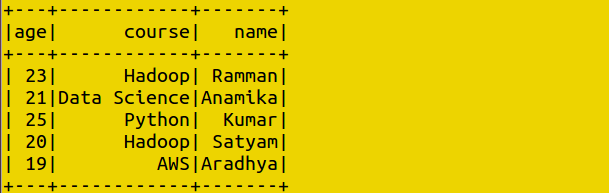
A DataFrame is typically created by reading data from a source, such as a JSON file, through the active Spark session, then confirmed by displaying its contents.



Checking the Schema
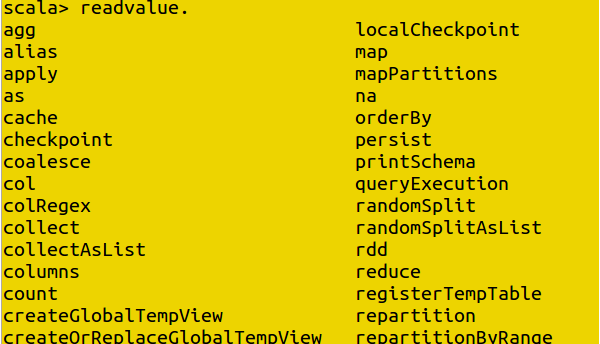
The printSchema method lists every column in a DataFrame along with its data type, which is the fastest way to confirm your data loaded the way you expected before you start querying it.

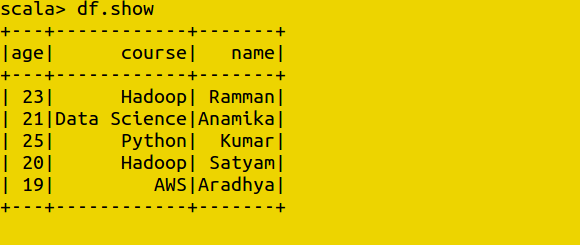
Showing Data
The show method displays the rows of a DataFrame directly in the console, useful as a quick sanity check at almost every step of building a query.

Reading Files Using the Spark Session
You can read data from an external file by giving Spark the path to it through the active session, most commonly using a method such as spark.read.json for a JSON source.

Displaying the Data
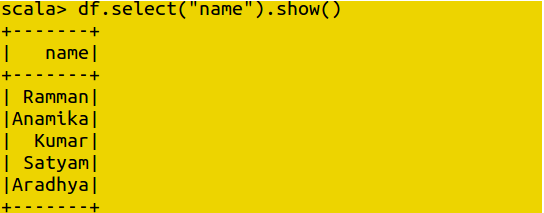
Selecting a Single Column
The select method lets you pull out just the column or columns you need, rather than showing the entire table.
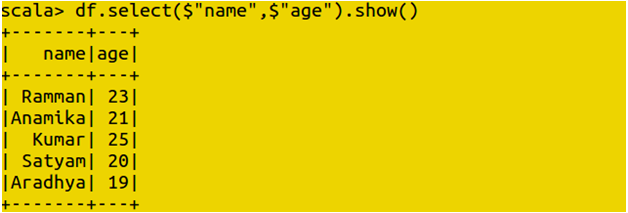
Selecting More Than One Column
Passing more than one column name into select displays them side by side, without pulling in every other column in the DataFrame.
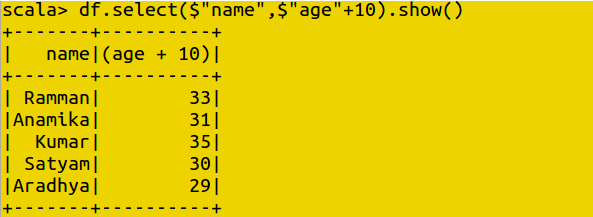
Incrementing a Column’s Value
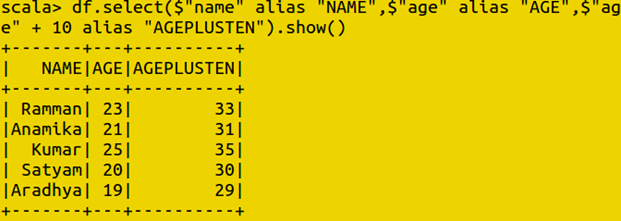
You can perform simple arithmetic on a column as part of a select statement, such as adding a fixed number to every value in a numeric column, without changing the underlying data.
Using an Alias
The alias method renames a column in the output of a query, which is useful once you start combining or transforming columns and want the result to have a clearer name than the default.
Filtering Rows
The filter method narrows a DataFrame down to only the rows that match a condition, such as an age above a certain value. DataFrames are transformational and immutable, so filtering returns a new DataFrame rather than changing the original one.
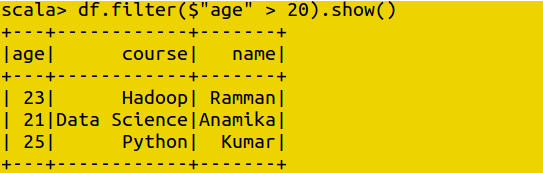
Data frames are also transformational in nature and they are immutable
Grouping Data
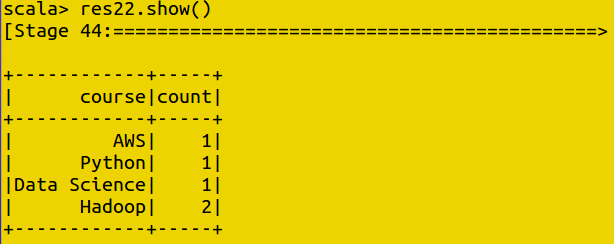
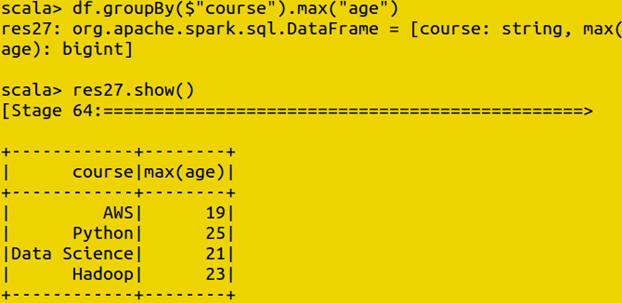
The groupBy method groups rows that share a value in one column, such as course, so you can then run an aggregate function across each group.

Count
Counts how many rows fall into each group.

Max
Returns the highest value in a column for each group.
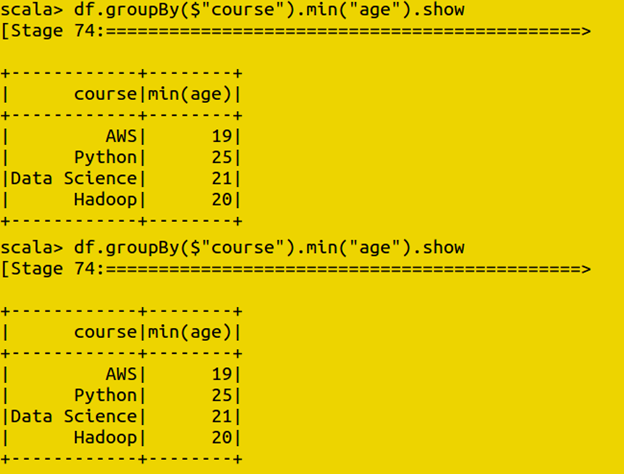
Min
Returns the lowest value in a column for each group.
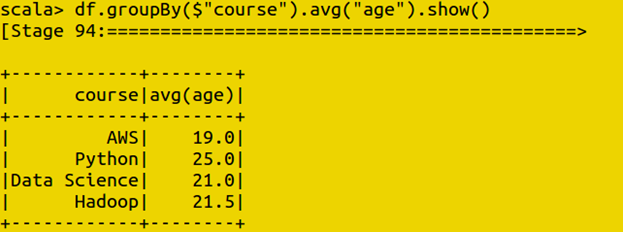
Average
Returns the mean value in a column for each group.
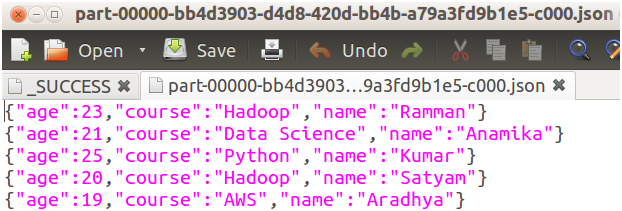
Writing Data to a File
The write method saves a DataFrame’s contents to a location you specify, in a format such as JSON, so the results of your work can be picked up again later or handed off to another process.

Running SQL Queries With a Temporary View
To run plain SQL syntax against a DataFrame, you first register it as a temporary view, which gives it a name Spark SQL can reference in a query, the same way you would reference a table name in a database.
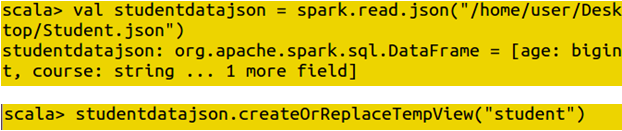
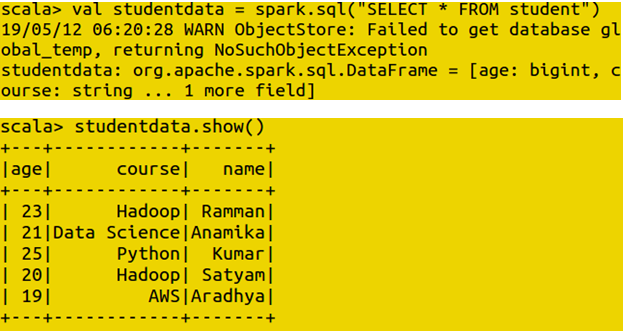
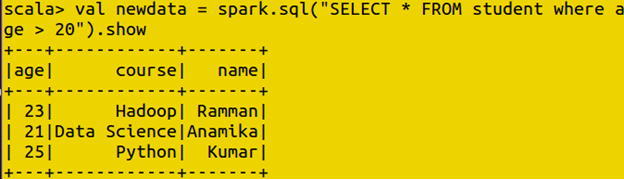
Once the view exists, you can run standard SQL statements against it through spark.sql, and the result comes back as a DataFrame you can display or transform further.
Working With Datasets
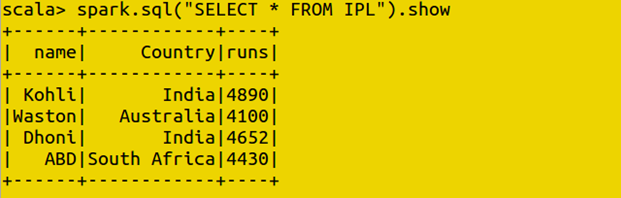
A Dataset is created from a Scala sequence, or Seq, of objects, typically instances of a case class that describes the shape of each row. This gives every row a defined structure and type from the moment the Dataset is created, unlike a DataFrame built from an untyped source.
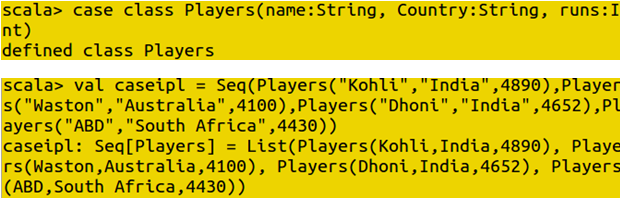

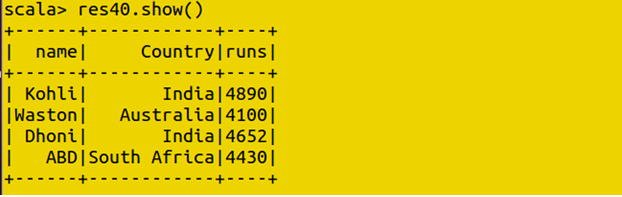

Just like a DataFrame, a Dataset can be queried with plain SQL once it is registered as a view.
User Defined Functions
A user defined function, or UDF, is a function you write yourself and register with Spark so it can be called directly inside a SQL query, the same way you would call a built in function such as upper or round. This is a common way to expose custom logic to people writing SQL queries without requiring them to write Scala code themselves.
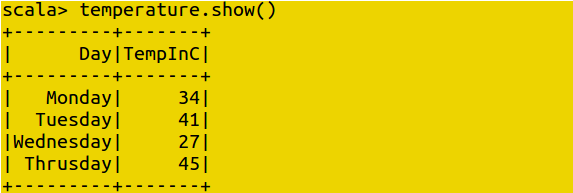
Test Case One: Converting Celsius Into Fahrenheit
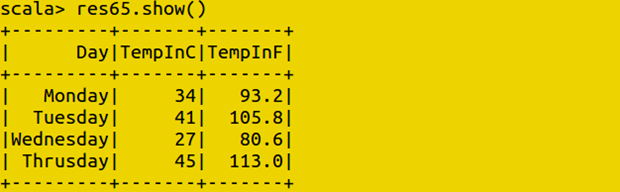
A simple UDF can take a temperature value in Celsius and return the Fahrenheit equivalent, ready to be applied to an entire column of readings.

Registering the UDF
Once the function is written, it is registered with Spark using spark.udf.register, giving it a name that can be called from inside a SQL query exactly like a built in function.



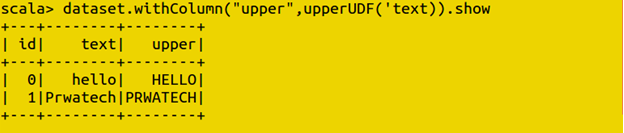
Test Case Two: Lower Case to Upper Case
A second UDF can take a text column and return it fully capitalized, a common cleanup step when preparing text data for consistent reporting.




Common Mistakes to Avoid
- Treating DataFrame and Dataset as interchangeable in Scala. A DataFrame is untyped and will not catch a column name typo until the code runs. If compile time safety matters for your project, reach for a Dataset with a defined case class instead.
- Forgetting that DataFrames are immutable. Every transformation, filter, select, or otherwise, returns a new DataFrame rather than changing the original. If a chain of transformations does not seem to be taking effect, check whether you are reassigning the result to a variable.
- Registering a temporary view and expecting it to persist across sessions. A plain temporary view only lives for the current Spark session, so it needs to be recreated each time you restart your session.
- Writing a UDF for logic that already has a built in Spark SQL function. Built in functions are generally better optimized than a custom UDF doing the same job, so it is worth checking the built in function library before writing your own.
That covers the core Apache Spark SQL commands, from setting up a context through DataFrames, Datasets, grouping, writing data, and user defined functions. To go further, explore Prwatech’s Apache Spark training program, which includes placement assistance.
Watch It in Action
The four videos below, embedded on the original page, walk through these commands step by step.