Cloud SQL Replicas
Cloud SQL Read Replicas
A read replica is a copy of your primary Cloud SQL instance that stays in near real time sync with it and can serve read only queries. Pointing reporting or analytics traffic at a replica instead of your primary instance keeps that load from competing with the writes and application traffic your primary is handling. A replica can also be created in a different region from your primary, which additionally gives you an option for disaster recovery, covered further down.
Prerequisites
- A Google Cloud Platform account
- An existing Cloud SQL instance to replicate from
Step by Step Process of Creating Replicas
Step One: Open Your Instance
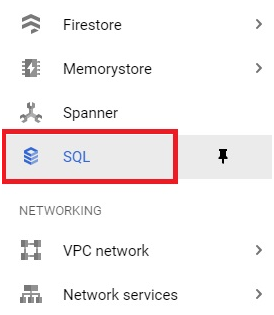
In the console, open the menu, then SQL.
Menu > SQL
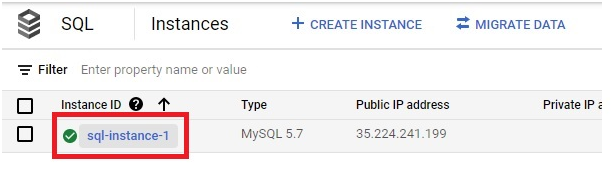
Select your Cloud SQL instance.
Step Two: Start Creating a Replica
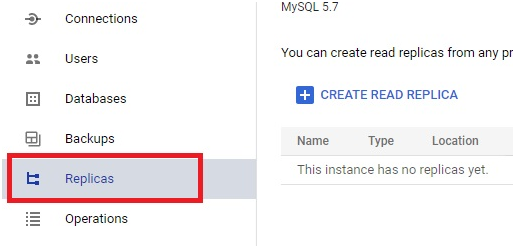
Click Replicas.
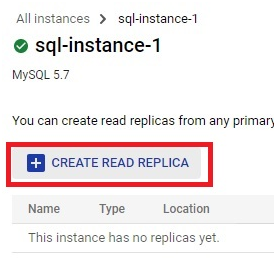
Click Create Read Replica.
Step Three: Name It and Choose a Region
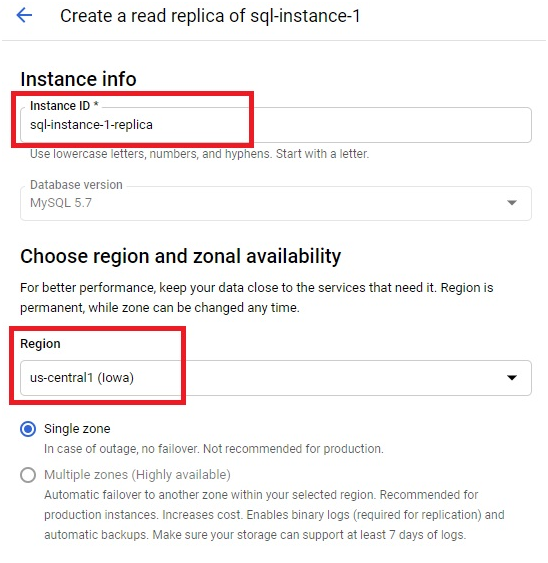
Give the replica an instance ID and choose its region. A replica can be created in the same region as your primary instance or in a different one, a cross region replica, which is what makes disaster recovery possible later. A multi zone, highly available configuration is not offered for a replica itself in this step, that setting applies to your primary instance’s own availability, not to the replica you are creating from it.
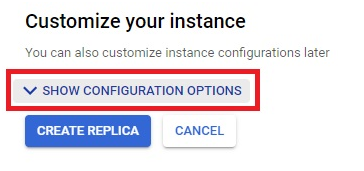
Step Four: Show Configuration Options
Click Show Configuration Options.
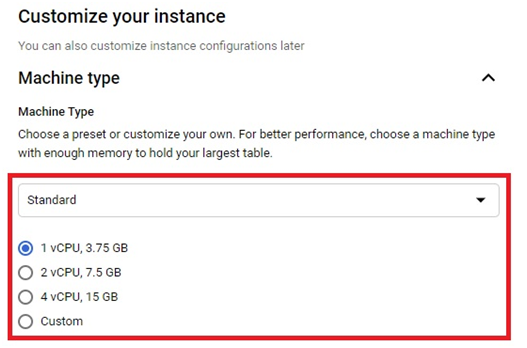
Choose the machine specification for the replica.
Step Five: Choose a Connection Type
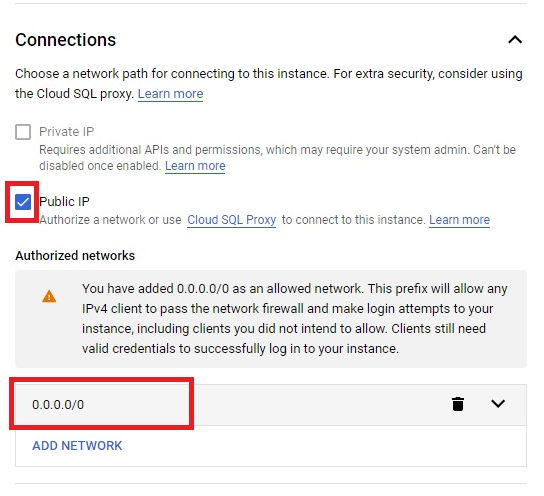
Choose Public IP for the simplest setup. If you want the replica reachable only over a private IP instead, you will need to enable the relevant API and configure the right permissions first, covered in Google’s own private IP setup documentation. Assign a network either way.
Step Six: Create the Replica
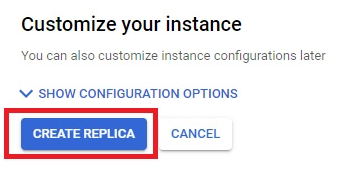
Click Create Replica. This takes around 5 minutes.
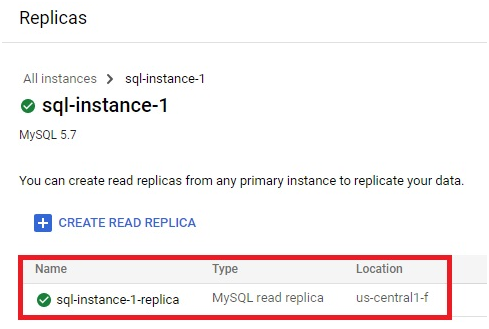
The replica is created and appears alongside your primary instance.
Read Replicas Compared to High Availability
These solve different problems, and it is worth being clear on the difference. High availability, HA, uses a standby instance in a different zone within the same region, and it fails over automatically the moment Cloud SQL detects a problem with your primary, with no action needed from you. A read replica is a separate thing entirely, you control it directly, it does not fail over on its own, and promoting one to replace a failed primary is always a manual, deliberate action you trigger yourself. A replica also does not protect against a regional outage on its own unless it is a cross region replica, while HA today only protects against a zonal failure within the same region.
Promoting a Replica for Disaster Recovery
If your primary instance’s region becomes unavailable for an extended period, or you are performing a planned migration to a different region, you can promote a cross region replica into a standalone, writable instance of its own. Open the replica and choose the promote option from its menu.
- Promotion is manual and intentional. Nothing gets promoted automatically, you decide when and if it happens.
- Promotion is irreversible. Once a replica becomes a standalone instance, that action cannot be undone.
- After promoting, check that the new instance’s machine type is actually sized for full production load, since a replica is sometimes deliberately provisioned smaller than the primary it was replicating.
Step Seven: Disable Replication
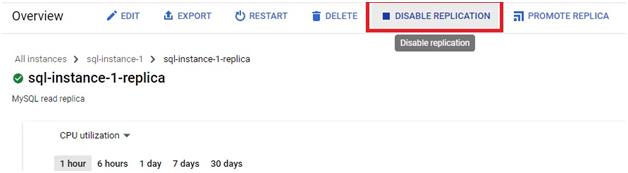
Open the replica and click Disable Replication.
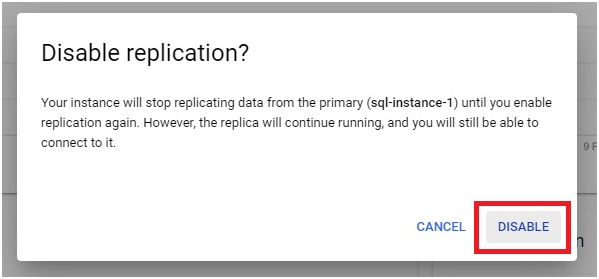
Click Disable
Step Eight: Delete the Replica
Click Delete.
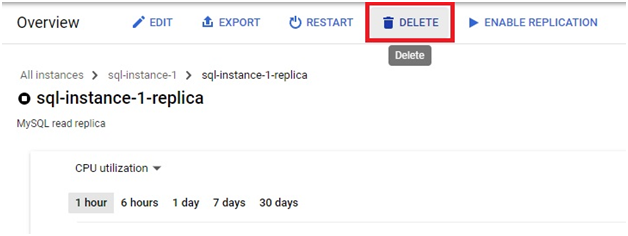
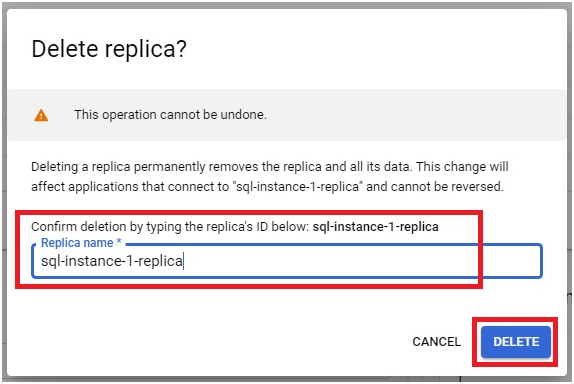
Type the replica ID to confirm, then press delete. The replica will be removed.
Common Mistakes to Avoid
- Assuming a read replica gives you automatic failover the way high availability does. It does not, promoting a replica is always a manual step you have to trigger yourself.
- Creating a replica in the same region only, then expecting it to protect against a regional outage. Only a cross region replica gives you that option.
- Promoting a replica without first checking its machine type against your actual production load. A replica sized for light read traffic may need resizing before it can handle everything the old primary was handling.
- Treating promotion as reversible. It is not, so be certain before you commit to it, particularly outside a genuine emergency.
That covers creating, understanding, and promoting a Cloud SQL read replica. To go further, explore Prwatech’s Google Cloud training program, which includes placement assistance.
