Permissions used in bucket
Cloud Storage Bucket Permissions
Cloud Storage controls who can view, add, or manage objects in a bucket through two separate systems. IAM roles grant access at the bucket or project level, while Fine Grained access control additionally allows setting a permission on one specific object rather than the whole bucket. Which system you can use depends on the bucket’s access control setting, and that setting is not always something you can undo.
This walks through granting a role at the bucket level, setting an individual permission on a single object under Fine Grained access, and switching a bucket over to Uniform access control.
Step by Step Process for Creating Cloud Storage Bucket Permissions
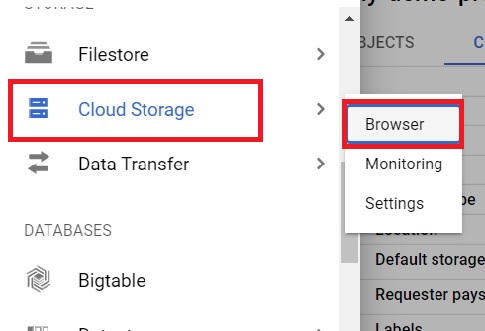
Step One: Open the Bucket Browser
Open the console, then
Click Menu > Cloud Storage > Browser
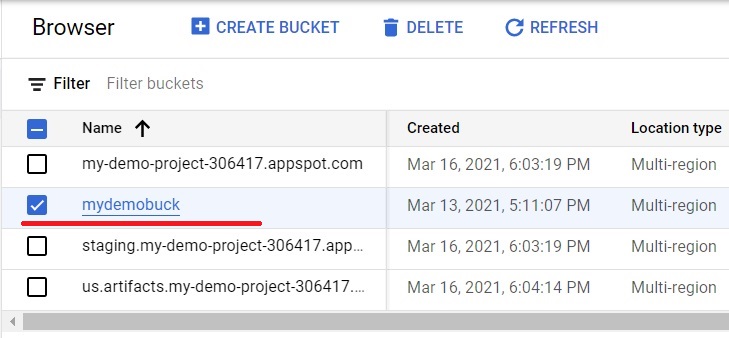
Step Two: Select a Project
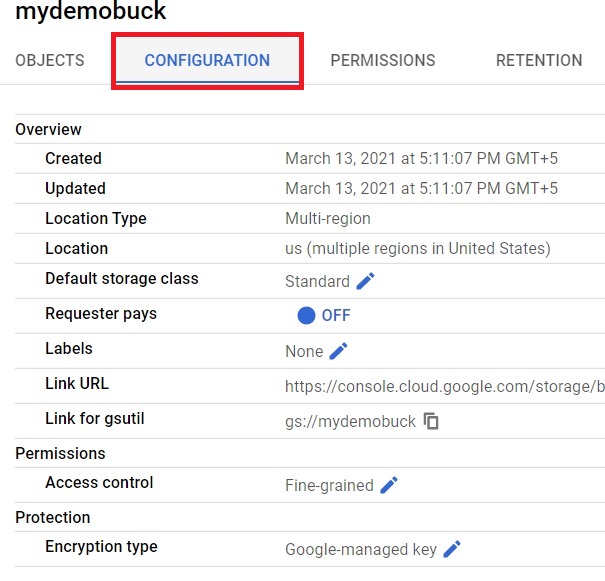
Step Three: Open the Bucket’s Configuration
Click Configuration to see the bucket’s current settings.
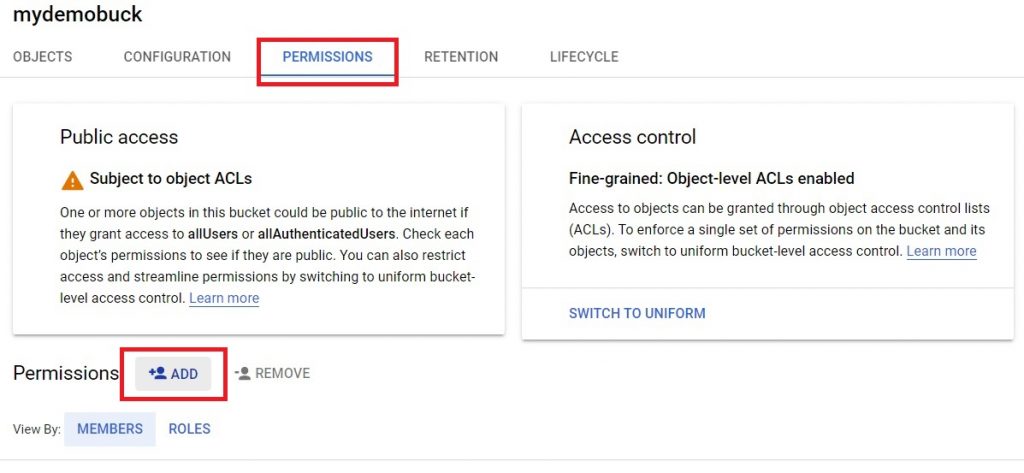
Step Four: Open Permissions
Click Permissions. The Access Control setting shown here, Fine Grained in this example, decides whether individual objects can carry their own separate permissions or not. Click Add to grant a new permission.
Step Five: Grant a Role at the Bucket Level
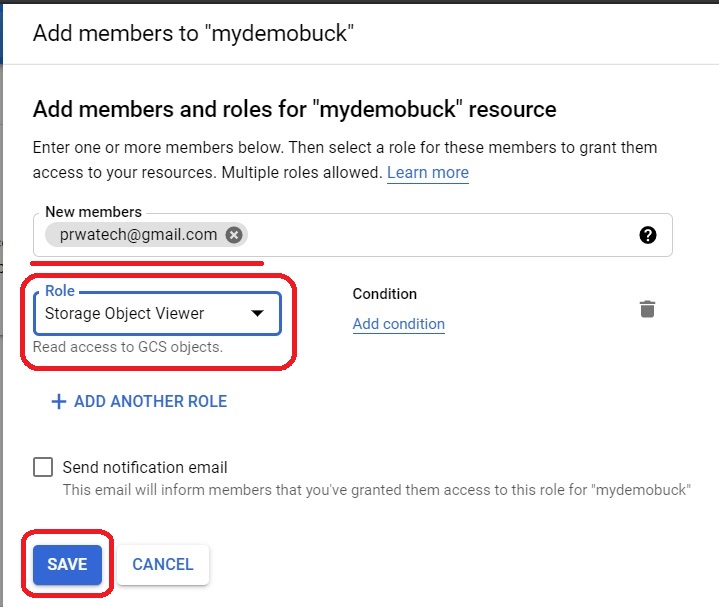
Enter the member’s email address, service account, or Google Workspace group.
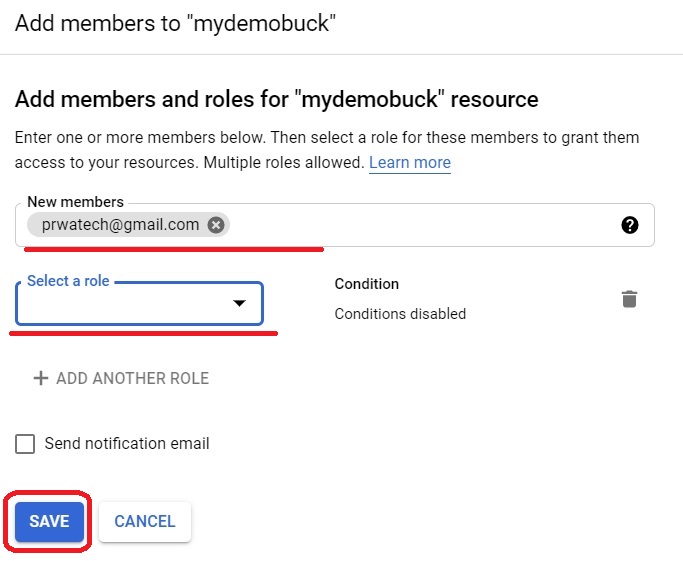
Select the role from the list. You can assign multiple roles for single member.
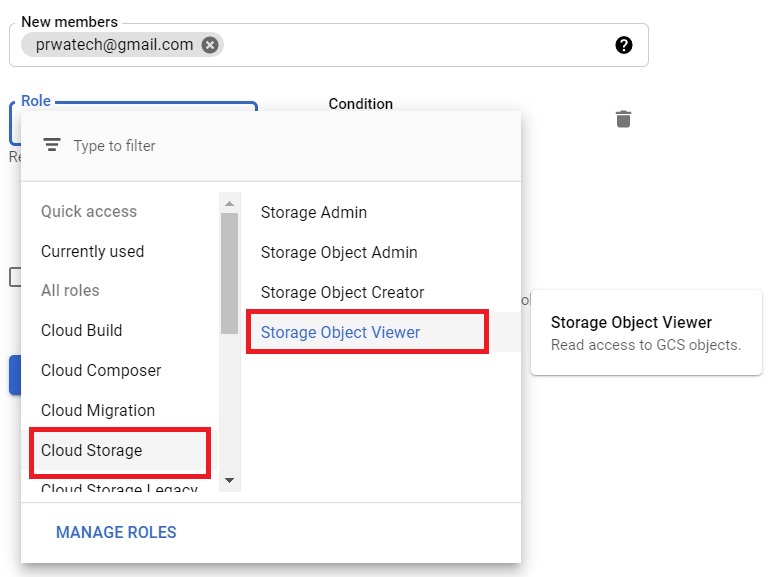
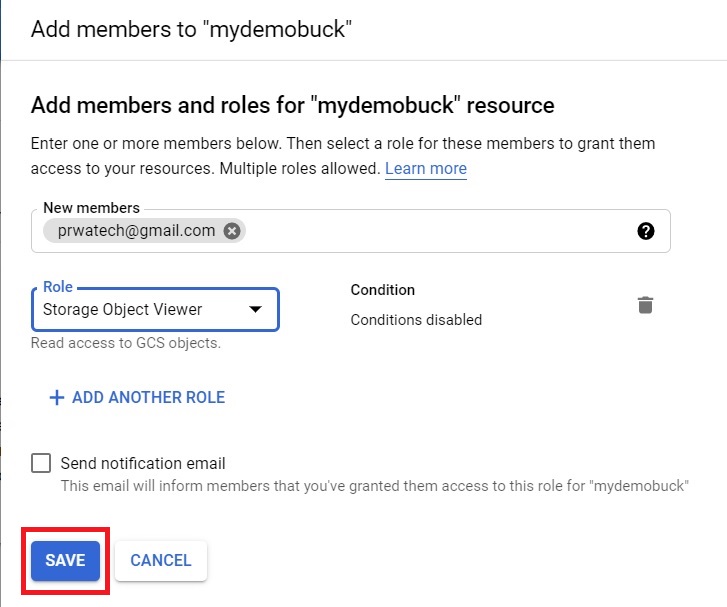
Click Save.
Step Six: Open Objects
Click Objects to see the files and folders already uploaded to the bucket.
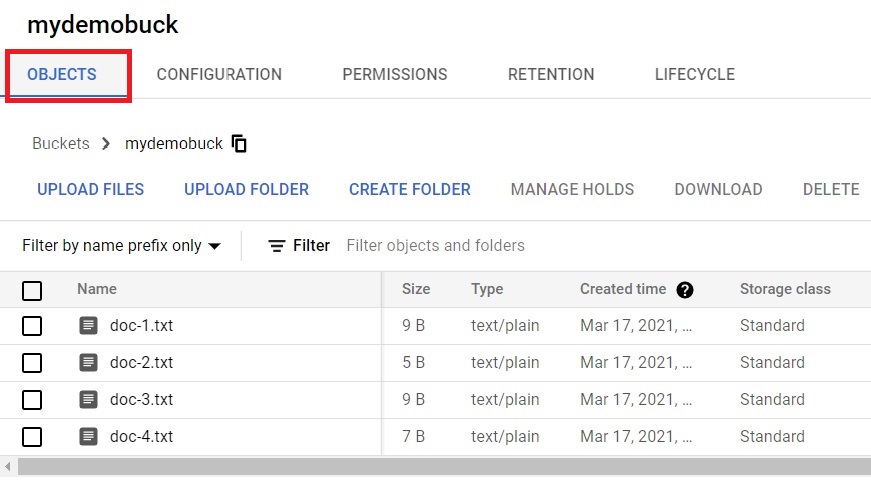
Step Seven: Set a Permission on a Single File
Click the three dots next to a file, then Edit Permissions. Under Fine Grained access, each object can carry its own separate permissions, independent of the bucket level roles set earlier.
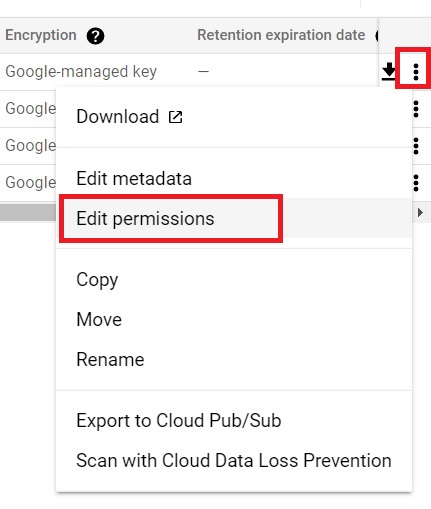
Here we can give individual permission for individual file. It is done because the access control is fine grained.
We are giving individual permission for doc-1. Click on Add Entry.
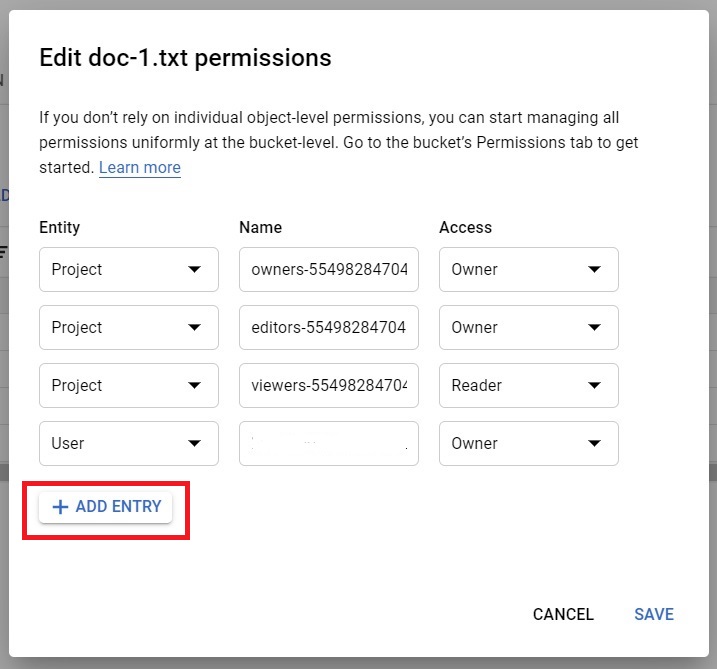
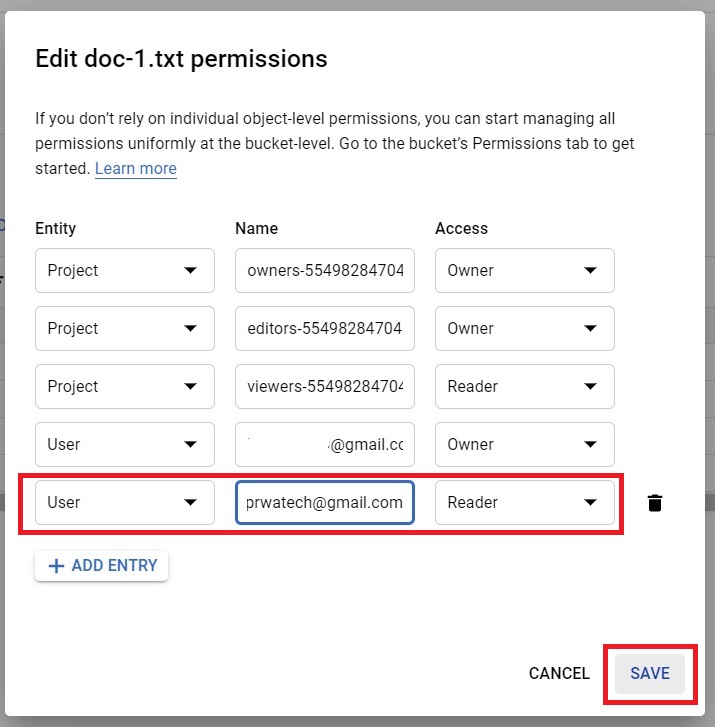
Select the Entity type for your needs. Give the mail-id/ G-suite/ service account.
Select the Access type you need to give. Click Save.
Step Eight: Switch to Uniform Access Control
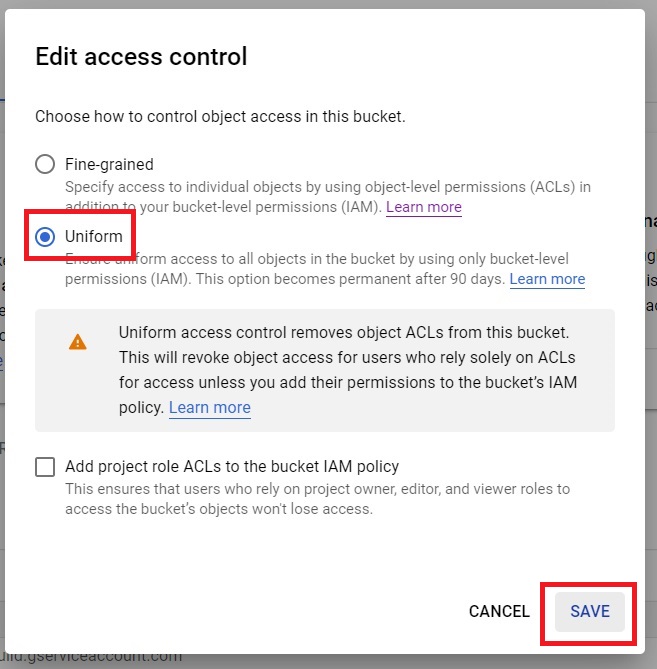
Click on Permissions > Switch to uniform.
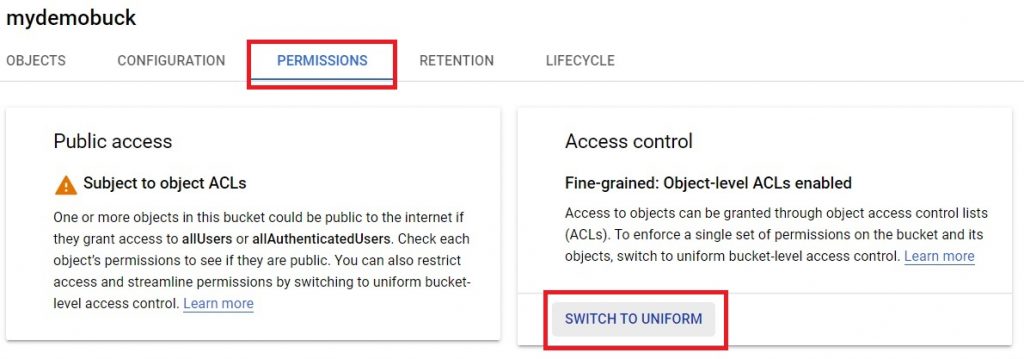
Select Uniform and click Save. This applies the same set of permissions to every object in the bucket, and object level permissions set individually under Fine Grained no longer apply.
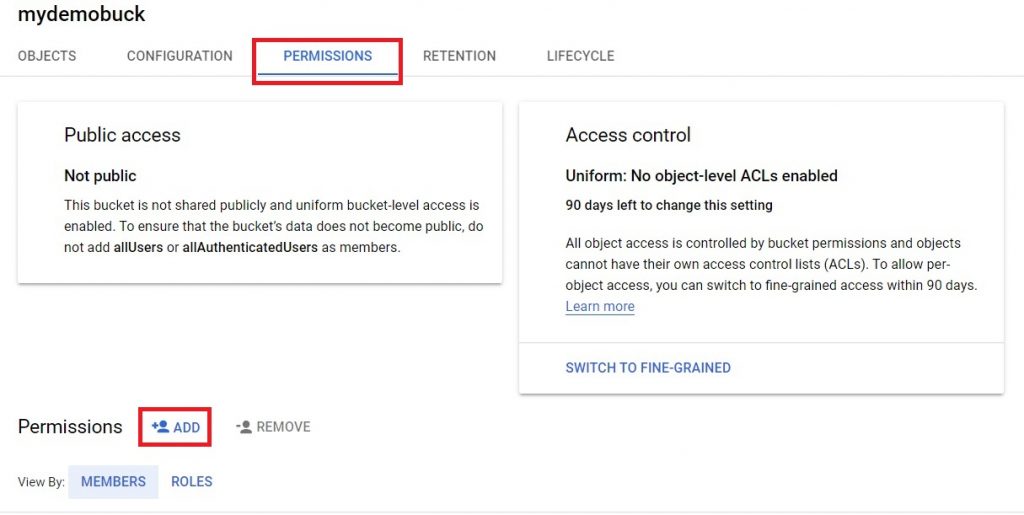
Click on Add.
Give the member(s) mail-ID/ G-suite/ Service account.
Select the role which you want to assign. Click Save.
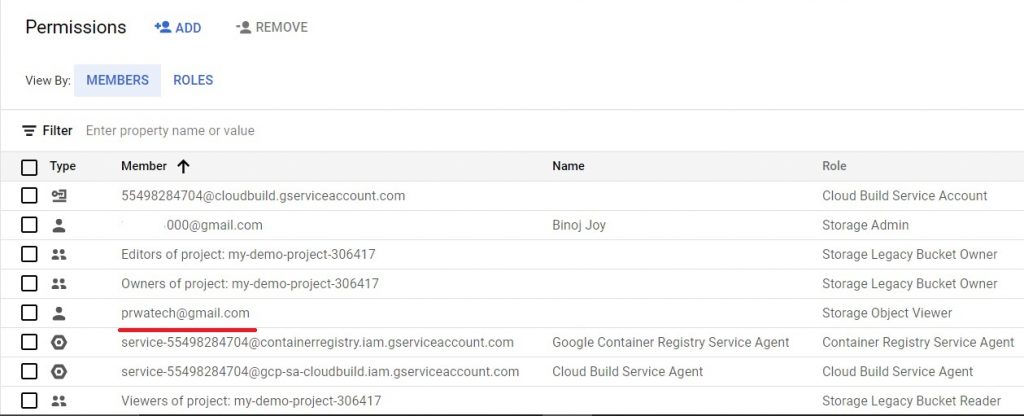
Now the member will have the uniform access to bucket.
Fine Grained Versus Uniform, and the One Way Switch
Fine Grained access is Cloud Storage’s legacy access system, letting you set a permission on one object independently of the bucket as a whole. Uniform access control does away with that, applying IAM roles consistently to every object in the bucket, with no per object exceptions. New buckets default to Uniform today, and Google’s own guidance recommends it for most use cases, since it is simpler to audit and keeps a bucket from having quietly inconsistent permissions scattered across individual files.
The part worth knowing before you switch: once Uniform access has been active on a bucket for 90 consecutive days, it cannot be switched back to Fine Grained. If you are testing this on a bucket you might need object level permissions on again later, be aware that the option to switch back closes permanently after that window.
Choosing the Right Role
- Storage Object Viewer, for someone who only needs to read objects, not add or change anything.
- Storage Object Creator, for someone who needs to add new objects without being able to overwrite or delete existing ones.
- Storage Object Admin, for full control over objects in the bucket, including overwriting and deleting.
Grant the narrowest role that actually covers what the member needs to do, rather than defaulting to Admin out of convenience.
Common Mistakes to Avoid
- Switching to Uniform access without knowing it may become permanent. After 90 consecutive days, there is no switching back to Fine Grained.
- Setting individual object permissions under Fine Grained, then switching to Uniform and expecting those specific permissions to still apply. They stop applying the moment Uniform is enabled.
- Granting a broad role such as Storage Object Admin when a narrower role like Object Viewer or Object Creator would have covered the actual need.
That covers granting bucket and object level permissions in Cloud Storage, and the switch worth thinking through before you make it. To go further, explore Prwatech’s Google Cloud training program, which includes placement assistance.
