Creating a bucket & giving permissions using cloud console
Creating a Bucket and Setting Permissions With gsutil
This covers creating a Cloud Storage bucket and managing basic object level permissions entirely from the command line, using gsutil, the tool included with the Google Cloud SDK. Everything here has a console equivalent, but the command line version is what you want once you are scripting a setup rather than clicking through it by hand.
Object level ACL commands, the kind used partway through this guide, only work on a bucket still using Fine Grained access control. If your bucket uses Uniform access control, the current default for new buckets, these specific commands will not apply, and permissions need to be managed through IAM instead.
Step 1: Activate Cloud Shell
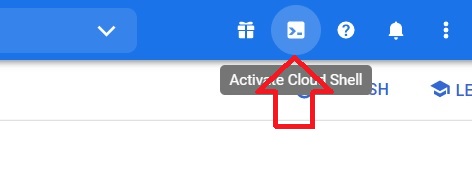
Click on Activate Cloud Shell
Step 2: Create a Bucket
gsutil mb -l LOCATION gs://BUCKET_NAME
Replace LOCATION and BUCKET_NAME with your own values, and make sure there is no space anywhere inside the gs colon slash slash URL itself.

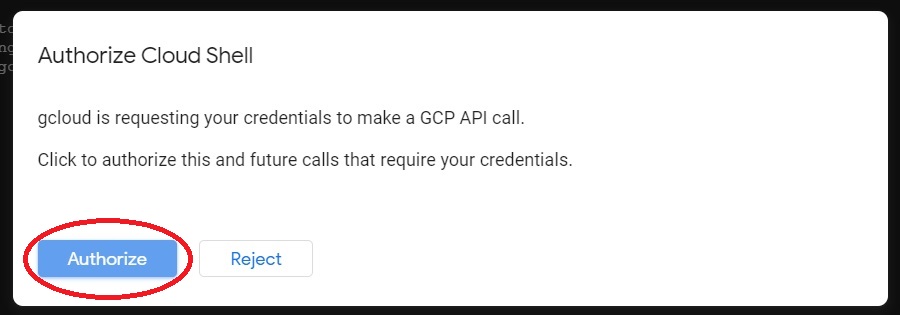
Give the Authorization if asked.
Step 3: List Your Buckets
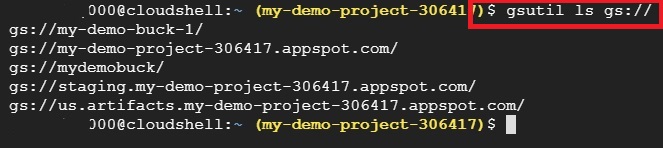
gsutil ls gs://
Step 4: List a Bucket’s Contents
gsutil ls gs://BUCKET_NAME

Step 5: List Contents With Details
gsutil ls -l gs://BUCKET_NAME

Step 6: Show Details for One File
gsutil ls -l gs://BUCKET_NAME/FILE_NAME

Step 7: Remove a Single File
gsutil rm gs://BUCKET_NAME/FILE_NAME

Step 8: Grant Read Permission to a Specific User
The acl ch command changes an object’s ACL. The u flag targets a specific user by email, and R grants read access, letting that person view or download the file without any other permissions.
gsutil acl ch -u user@example.com:R gs://BUCKET_NAME/FILE_NAME

Step 9: Grant Owner Permission to a Specific User
The O value grants full ownership of the object, including the ability to change its permissions further or delete it. Grant this only to someone who genuinely needs that level of control, and never to AllUsers, which would mean granting it to anyone on the internet with no restriction at all.
gsutil acl ch -u user@example.com:O gs://BUCKET_NAME/FILE_NAME

Step 10: Remove a User’s Permission Entirely
gsutil acl ch -d user@example.com gs://BUCKET_NAME/FILE_NAME

Step 11: Remove Every File Under a Folder Like Path
The r flag makes this recursive, removing every object under the given prefix, which is different from removing a single file as shown earlier.
gsutil rm -r gs://BUCKET_NAME/FOLDER_NAME

Step 12: Remove a Bucket
gsutil rm -r gs://BUCKET_NAME
This removes every object in the bucket, then the bucket itself.

Step 13: Create a Bucket in a Different Project
gsutil mb -p PROJECT_NAME -c STORAGE_CLASS -l LOCATION gs://BUCKET_NAME

Common Mistakes to Avoid
- Granting a permission to AllUsers without understanding what it means. It is not a placeholder or a generic default, it means every person on the internet, with no restriction.
- Copying a command with a stray space inside the gs colon slash slash URL. It breaks the command rather than doing nothing.
- Trying to run an ACL command on a bucket using Uniform access control. These commands are specific to Fine Grained access and will not apply.
- Using -r to remove a single file. It is meant for a folder like path or an entire bucket, not one object.
That covers creating a bucket and managing object permissions with gsutil, and the one command worth never running the way the original showed it. To go further, explore Prwatech’s Google Cloud training program, which includes placement assistance.