Cloud Functions
Cloud Functions Quickstart
Cloud Functions, a serverless computing solution provided by Google Cloud Platform (GCP), empowers developers to build and deploy lightweight, event-driven applications effortlessly. Cloud Run functions, formerly called Cloud Functions, walks through deploying a basic HTTP triggered function from the console.
This introduction will guide you through the quickstart process for setting up and deploying your first Cloud Function, enabling you to kickstart your serverless journey with ease. To begin, ensure you have a GCP account and have installed the Google Cloud SDK on your local machine. With these prerequisites met, you can proceed to create your first Cloud Function.
Prerequisites
- A Google Cloud Platform account
- A project with billing enabled, since Cloud Run functions requires it even within the free tier
Step by Step Process of Cloud Function Quickstart
Step One: Open the Functions Section
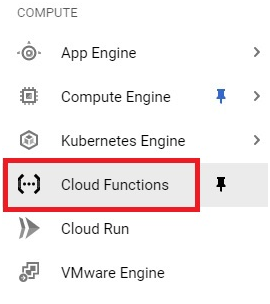
From the Cloud Console, open the menu and go to the Cloud Functions, or Cloud Run functions, section.
Step Two: Create a Function
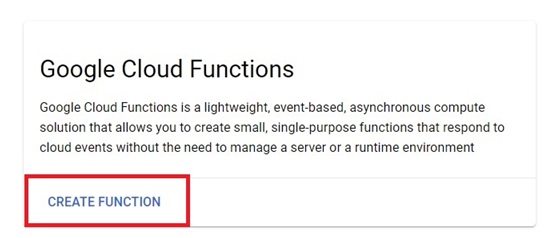
Click Create function to begin.
Step Three: Name Your Function and Choose a Region
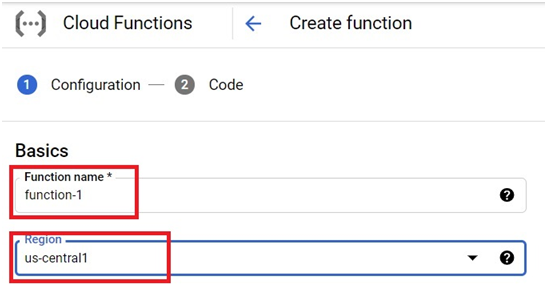
Give the function a name and pick the region it should run in. If the console offers a choice between generations here, choose the current generation, previously called 2nd gen, unless you specifically need the older first generation for compatibility reasons.
Step Four: Choose the Trigger Type
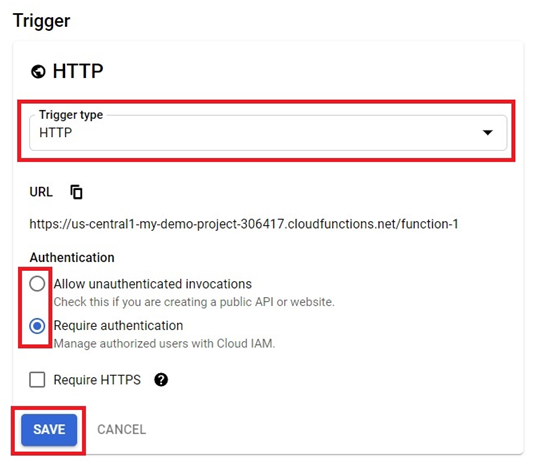
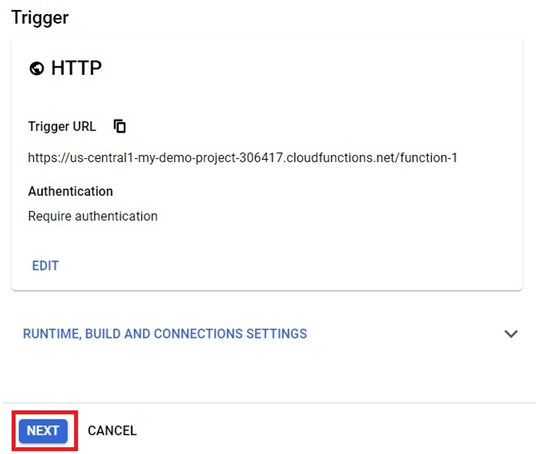
Choose HTTP as the trigger type for this example. You will also see an option for authentication. If you tick Require authentication, only callers with the right permissions can invoke the function. If you leave it unticked, or explicitly allow unauthenticated invocations depending on how your console presents this option, anyone with the URL can call it, which is the simpler choice while you are just testing. Click Save once you have made your choice.
Step Five: Confirm the Trigger
The trigger will be created. Click Next to continue to the function’s code.
Step Six: Choose a Runtime and Add Your Code
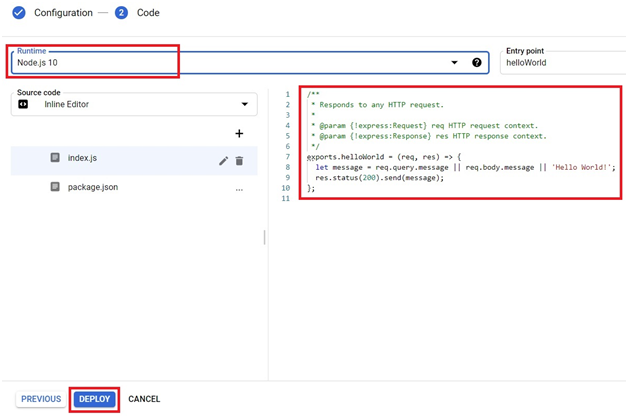
In the configuration step, choose your runtime. This example uses Node.js, and the entry point needs to match the exported function name exactly, helloWorld in this case.
exports.helloWorld = (req, res) => {
let message = req.query.message || req.body.message || “Hello World!”;
res.status(200).send(message);
};
Once your code is in place, click Deploy.
Step Seven: Open Your Deployed Function
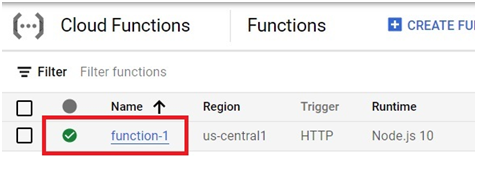
Once deployment finishes, open the function you just created from the functions list.
Step Eight: Test the Function
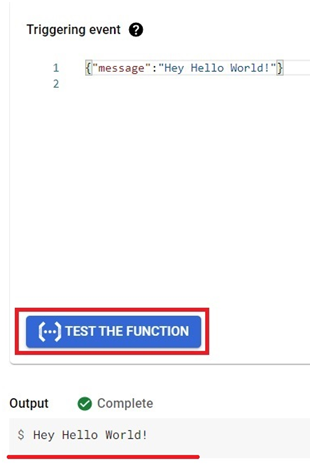
Click the Testing tab. The triggering event is shown here, ready for you to run against your function.
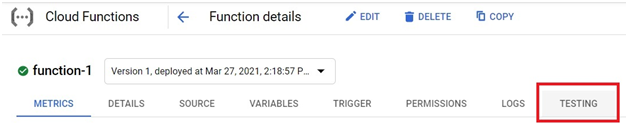
Click Test the function, and the output will be shown directly below.
First Generation Compared to the Current Generation
The older first generation, now labeled Cloud Run functions (1st gen), has a maximum execution time of 9 minutes and a narrower set of supported event sources. The current generation is built directly on Cloud Run and Eventarc, giving you a longer execution window, broader event source support, and the same performance and scaling controls Cloud Run services get, since a function deployed this way is, under the hood, running as a Cloud Run service. Unless you have an existing first generation function you need to keep compatible with something else, current guidance is to build new functions on the current generation by default.
Common Mistakes to Avoid
- Copying code with curly quotes instead of straight ones. If you write or paste code from a word processor or a web page, check that any quotation marks around strings are the plain straight kind. Curly quotes will cause a syntax error in JavaScript, Python, and most other languages.
- Mismatching the entry point and the function name. The entry point setting in the console has to match the exact name of the function you are exporting in your code, or deployment will fail to find it.
- Forgetting to allow unauthenticated access while testing. If your function requires authentication and you are just trying to confirm it works, either use the console’s built in testing tool, which is authenticated for you automatically, or explicitly allow unauthenticated calls while you are still testing.
- Choosing a runtime that does not match your code’s language. The runtime selected in the console has to match the language your function is actually written in, choosing Node.js for Python code, or the reverse, will fail immediately.
That covers deploying and testing your first Cloud Run function from the console. To go further, explore Prwatech’s Google Cloud training program, which includes placement assistance.
