Creating Data Fusion Instance
Creating a Cloud Data Fusion Instance
Cloud Data Fusion is Google Cloud’s managed service for building data pipelines by dragging and connecting steps in a visual editor, without writing code. An instance is the Data Fusion environment where you design pipelines. When a pipeline runs, Data Fusion starts a temporary Dataproc cluster in your project to do the work, and removes it afterward.
Creating an instance takes a handful of choices, but two of them are worth slowing down for. The edition decides the hourly price and cannot be changed once the instance exists. And the instance bills for every hour it exists, so a forgotten practice instance is an expensive mistake.
This walks through enabling the API, creating the instance, and giving its service account the role pipelines need, with the edition and cost explained at the steps where you meet them.
Prerequisites
- A Google Cloud account with billing enabled. The Enabling Billing guide in this series covers that.
Step by Step Process of Creating Cloud Data Fusion Instance
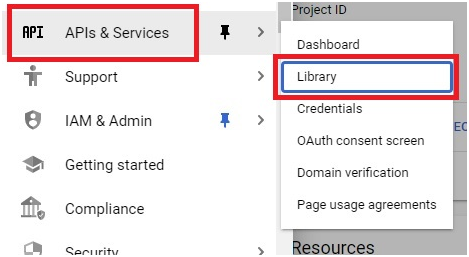
Step 1: Open the API Library
Open the console, then the menu, then the APIs and Services section, then Library.
Step 2: Find the Data Fusion API
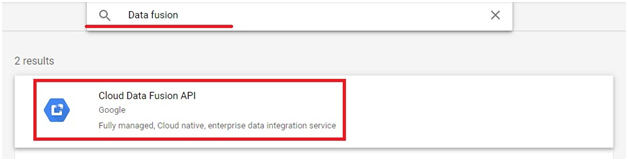
Search for Data Fusion, then select Cloud Data Fusion API.
Step 3: Enable the API
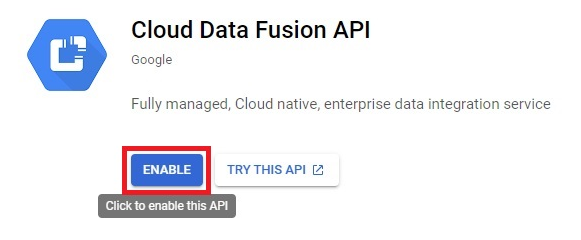
Click Enable.
Step 4: Open Data Fusion
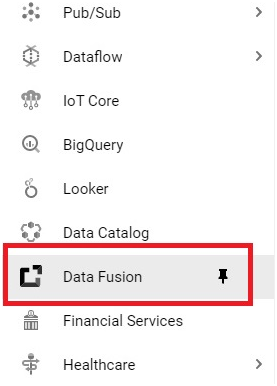
Open the menu, then Data Fusion.
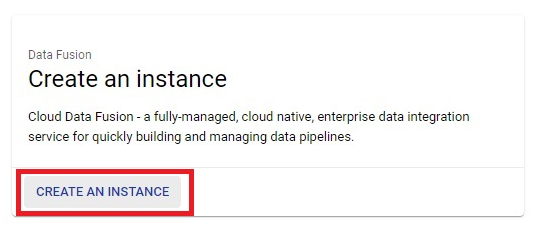
Step 5: Create an Instance
Click Create an instance.
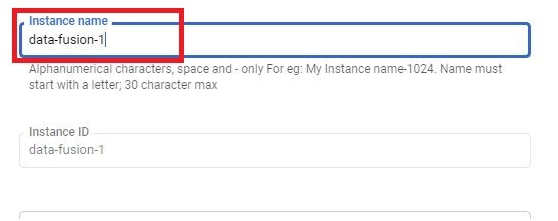
Step 6: Name It
Enter an instance name. Google’s form also asks for a description and the region to create the instance in, so choose a region close to your data.
Step 7: Choose the Edition
The original page says to choose Basic. That is a reasonable choice for learning, and the table below shows why, but make the choice on purpose. Google’s documentation states that you cannot change an instance’s edition after creating it.
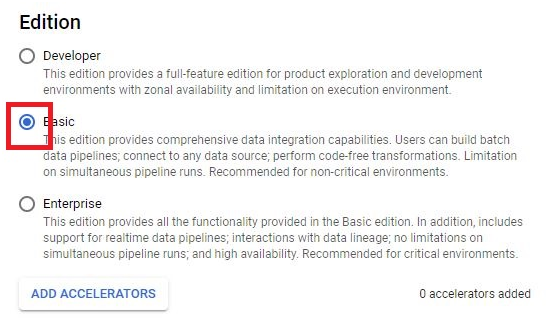
Choosing an Edition
| Edition | Price per instance hour | About per month | Meant for |
|---|---|---|---|
| Developer | 0.35 US dollars | 250 US dollars | Development and exploration. Two users and two simultaneous pipelines are recommended. |
| Basic | 1.80 US dollars, after 120 free hours a month per account | 1,100 US dollars | Testing, sandboxes, and proof of concept work. Unlimited simultaneous pipelines. |
| Enterprise | 4.20 US dollars | 3,000 US dollars | Production workloads. Adds role based access control and regional high availability. |
These prices are per instance hour, from the time the instance is created to the time it is deleted, billed by the minute. The figures above are from Google’s pricing page, and the monthly amounts are Google’s own approximations. Basic is the edition with 120 free hours a month per account, which is why most learning labs use it, as long as you delete the instance before those hours run out.
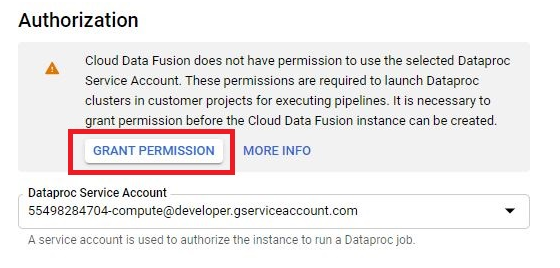
Step 8: Authorization and the Service Account
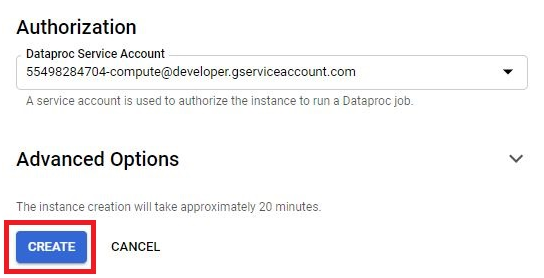
The original page tells you to click Grant Permission under Authorization. Google’s current creation form asks you to choose the service account that runs your pipelines in Dataproc. The default is the Compute Engine service account, and Google says to make sure whichever account you use has the right IAM roles for your needs. If your form still shows a Grant Permission option, use it. The screenshot may show the older form.
Step 9: Create the Instance
Click Create. Google says it takes up to 30 minutes for the instance to finish being created, not the 10 to 15 minutes the original page gave. A progress indicator shows next to the instance while it is being built.
Step 10: Open the Instance
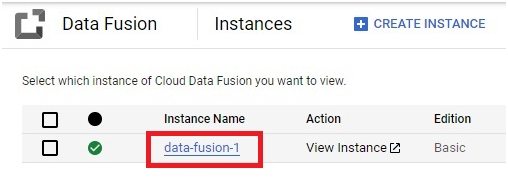
When it is ready, click the instance name to see its details.
Step 11: Copy the Service Account
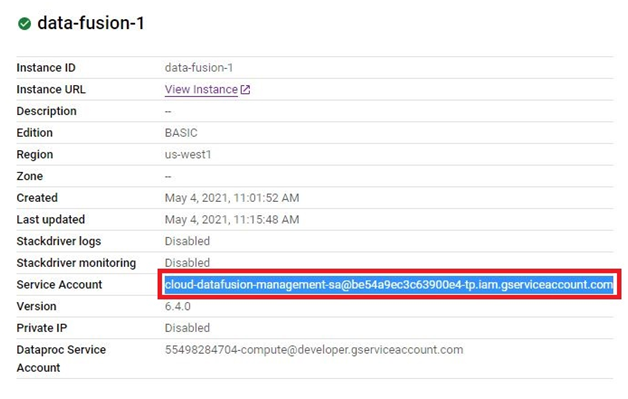
On the details page, copy the service account listed for running pipelines in Dataproc. This is the account that pipelines run as.
Step 12: Open IAM and Add the Account
Go to IAM and Admin, then IAM, and click Grant access, shown as Add in older versions.
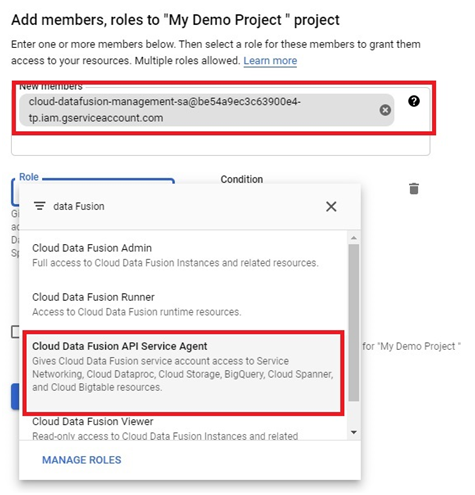
Step 13: Paste the Account and Give It the Role
Paste the service account into the New principals field and choose the role Cloud Data Fusion API Service Agent.
What This Role Step is For?
Pipelines run on Dataproc clusters that start up using this service account, so the account needs permission to work with Data Fusion. The original page adds that sometimes you may have to give Cloud Data Fusion Admin access as well. Admin is a much broader role than this step needs, so before granting it, read the exact permission error you are getting and check Google’s guidance on service account permissions. The GCP Service Account and IAM Roles guides in this series explain why narrow roles are safer.
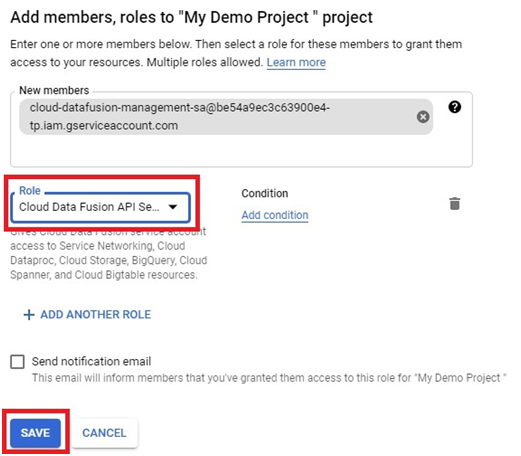
Step 14: Save
Click Save.
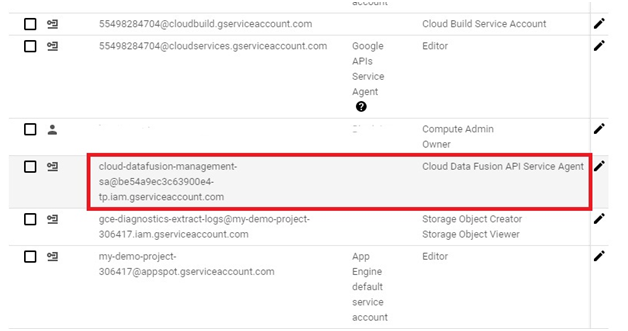
Step 15: Confirm the Account Has the Role
The service account is saved with the role you gave it.
What Data Fusion Costs?
There are two parts to the bill. The first is the instance itself, charged per hour from creation to deletion at the edition’s rate, whether or not any pipeline is running. The second is processing, which is the cost of the Dataproc clusters that run your pipelines, charged on the vCPUs they use and how long they run.
As an example, a Basic instance left running after its free hours are used costs 1.80 US dollars every hour, which would use up a 300 dollar free trial credit in roughly a week. Delete practice instances as soon as you finish. The Creating and Deleting a Budget guide in this series explains why a budget alert on its own will not stop that spending.
What to do Next?
Once the instance is ready, you open its web interface from the instances list and start designing pipelines. The Data Fusion With BigQuery guide in this series builds one.
Common Mistakes to Avoid
- Choosing an edition without checking its price. It cannot be changed afterward.
- Leaving an instance running after practice. It bills every hour from creation to deletion, whether or not a pipeline runs.
- Expecting the instance to be ready in 10 minutes. Allow up to 30.
- Granting Cloud Data Fusion Admin as a first reaction to a permission error. Read the error and grant the narrowest role that fixes it.
- Forgetting that pipeline runs have their own Dataproc processing cost on top of the instance charge.
That covers creating a Cloud Data Fusion instance, choosing its edition, and what keeping one running costs. To go further, explore Prwatech’s Google Cloud training program, which includes placement assistance.