Creation and deletion of Lamp by Bitnami
Prerequisites
GCP account
Open Console.
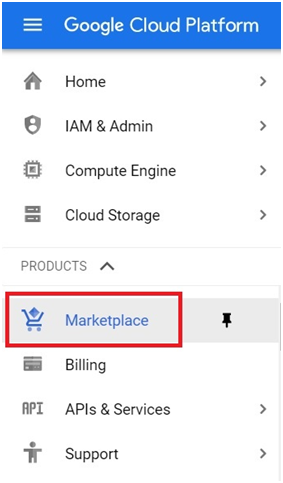
Open menu > Marketplace
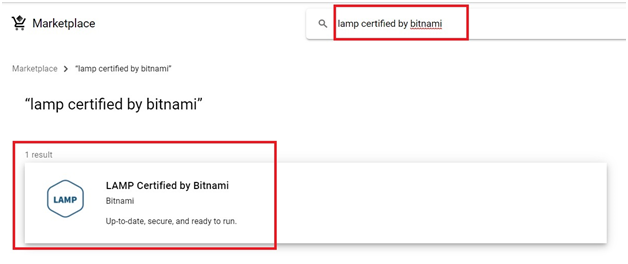
Search lamp certified by bitnami. Select the LAMP
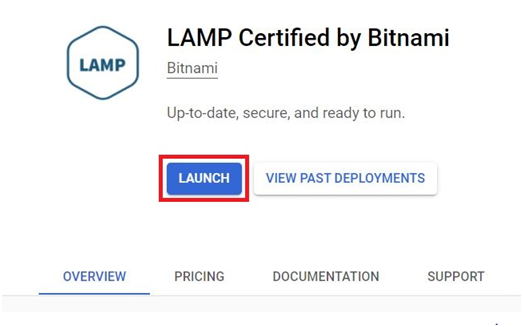
Click Launch.
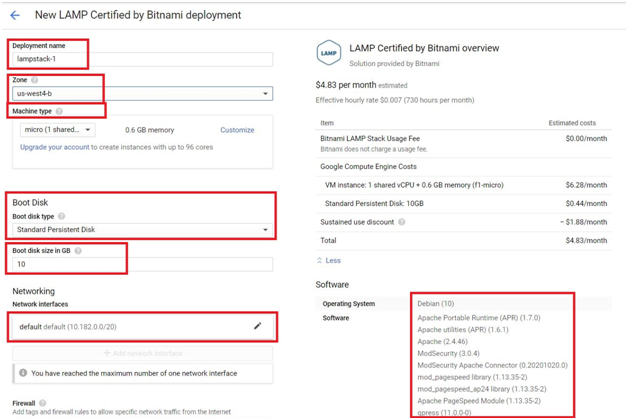
Give the name for deployment.
Choose the zone and machine type.
Choose the boot disk type and size. If you have VPC network you can choose it otherwise default will be selected.
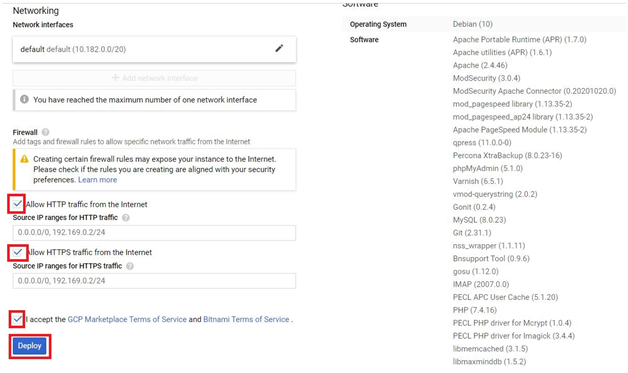
By default you will get some softwares installed. Check the softwares in rightside
Tick both Allow HTTP traffic and HTTPS traffic from Internet. Accept the terms and conditions and click deploy.
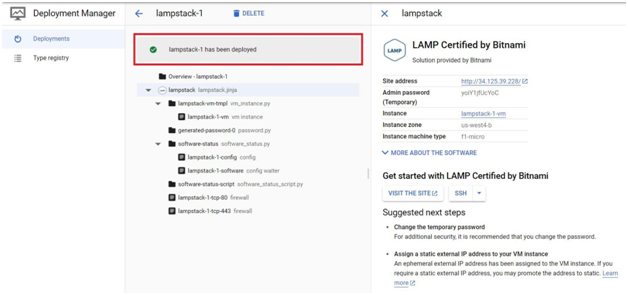
LAMP development environment will be created.
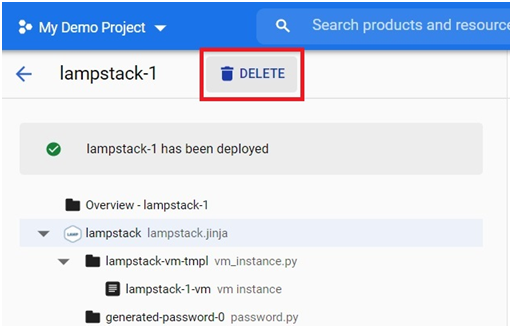
To delete Lamp Deployment, Click Delete.
Choose which one you want and Click Delete All
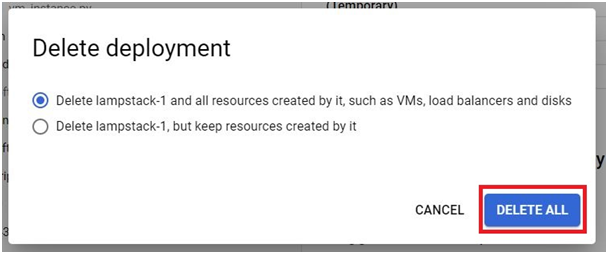
The Deployment will be deleted.
0
0
Popular Tags:
GCP
gcp certification
gcp cloud console
Google Cloud
google cloud certification
google cloud console
google cloud courses
Google Cloud Platform
google cloud platform tutorial
google cloud training
lamp by bitnami